
7Your vehicle
Tell the app what you drive. Then it plans roads your vehicle can use and warns you about limits on the way.
7.1Why your vehicle matters
The app knows eight kinds of vehicle. Each one gets its own roads.
A low bridge is fine for a motorbike. It's a disaster for a caravan, a motorhome, a campervan or a 4WD. So the app plans for the size of what you drive.
Your vehicle changes four things. It changes which roads the route uses. It changes which size limits you are warned about. It changes how long a day of driving is in your trip plan. It changes which camps count as ones you can reach.
7.2The vehicles at a glance
The buttons show a short name. The full name is in the second column.
The sizes below are the standard ones the app plans for. Bikes have no size checks.
| Button | Full name | Height | Width | Length | Weight | How the app plans for it |
|---|---|---|---|---|---|---|
| Caravan | Car + caravan | 3.1 m | 2.5 m | 14.3 m | 6.8 t | Always planned as towing. Main roads first. Formed unsealed roads are fine. Rough dirt and station tracks only if there is no other way in. |
| Motorhome | Motorhome | 3.7 m | 2.5 m | 10 m | 8.7 t | Main roads first. Formed unsealed roads are fine. Rough dirt and tracks only if there is no other way in. |
| Van | Van / Campervan | 2.9 m | 2.1 m | 7 m | 4.5 t | Sealed roads and good unsealed roads. Keeps off rough tracks, 4WD tracks and soft ground. |
| 4WD / Ute | 4WD / Ute | 2.3 m | 2 m | 5.6 m | 3.5 t | Happy on unsealed roads and station tracks. Keeps off walking tracks. The usual tow vehicle. |
| SxS | Side-by-Side / UTV | 1.9 m | 1.6 m | 3.3 m | 0.9 t | Rough ground is the goal. Never on motorways. Uses trails open to off road vehicles. |
| ADV moto | ADV Motorcycle | not checked | not checked | not checked | not checked | Good unsealed and forest roads first. Hard tracks only when needed. |
| Enduro | Enduro Bike | not checked | not checked | not checked | not checked | The hardest tracks first. Sealed roads only to link them. Never on motorways. |
| Bicycle | Bicycle | none | none | none | none | Bike paths, rail trails and quiet roads. Never a highway. Needs signal. |
7.3My usual rig and Vehicle for this route
There are two places to say what you drive. One is your usual vehicle. The other is for one route only.
Your usual vehicle is the one you normally travel in. The app uses it for every route unless you pick another. You set it with the Vehicle button on the map, or under My usual rig in Account.
- Tap Menu.
- Scroll to the bottom and tap Account.
- Find My usual rig.
- Tap your vehicle. It saves straight away.
- If you usually tow, tick Towing a caravan or trailer.
Under the buttons, a line shows the sizes the app plans for. It is kept with your account, so your other devices get it too.
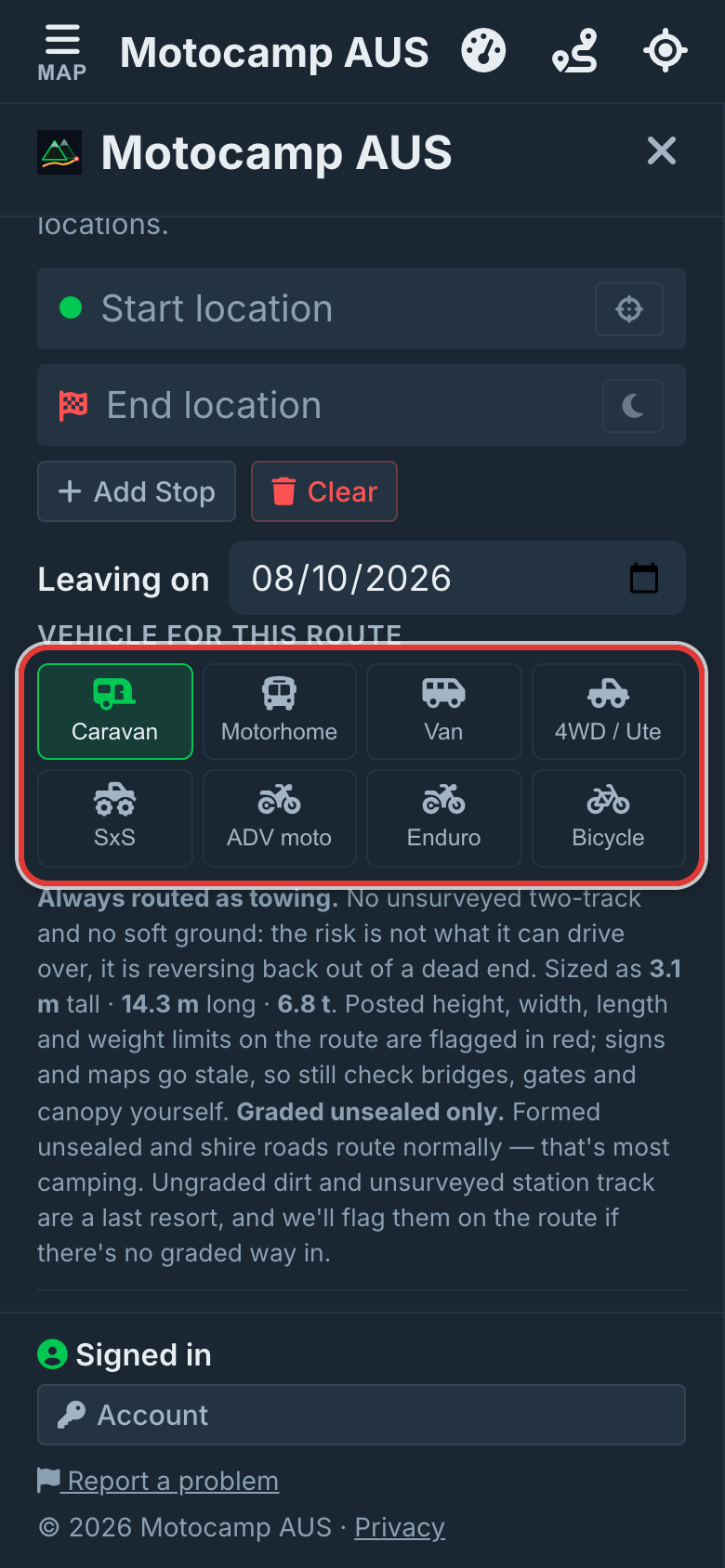
Vehicle for this route sits in the Route tab, under the place boxes. Use it when one trip is different. Say you usually drive a motorhome, but this weekend is a day out on the bike.
- Tap Menu, then the Route tab.
- Scroll down to Vehicle for this route.
- Tap the button for what you are taking.
Your usual vehicle stays as it was. If a route is already on the map, the app plans it again for the new vehicle.
A button, Use my usual rig, then shows beside the heading. Tap it to go back to your usual vehicle.
Step by step, with pictures: Keep your rig clear of low bridges
7.4Set your own height
Each vehicle starts with a standard height, set on the tall side. If yours is lower or taller, set your own. Then the app checks bridges against your real height.
Under the vehicle buttons, a line shows the size in use.
For a motorhome it reads: Sized as 3.7 m tall · 10 m long · 8.7 t.
You set your own height in Account, for your usual vehicle.
- Tap Menu, then Account at the bottom.
- Under My usual rig, tap your vehicle.
- Tap change, next to Height.
- Pick your height from the list. It runs from 1.5 m to 4.3 m, in steps of 10 cm.
It saves as soon as you pick. The word (yours) shows beside it. The app then uses it for that vehicle on every route.
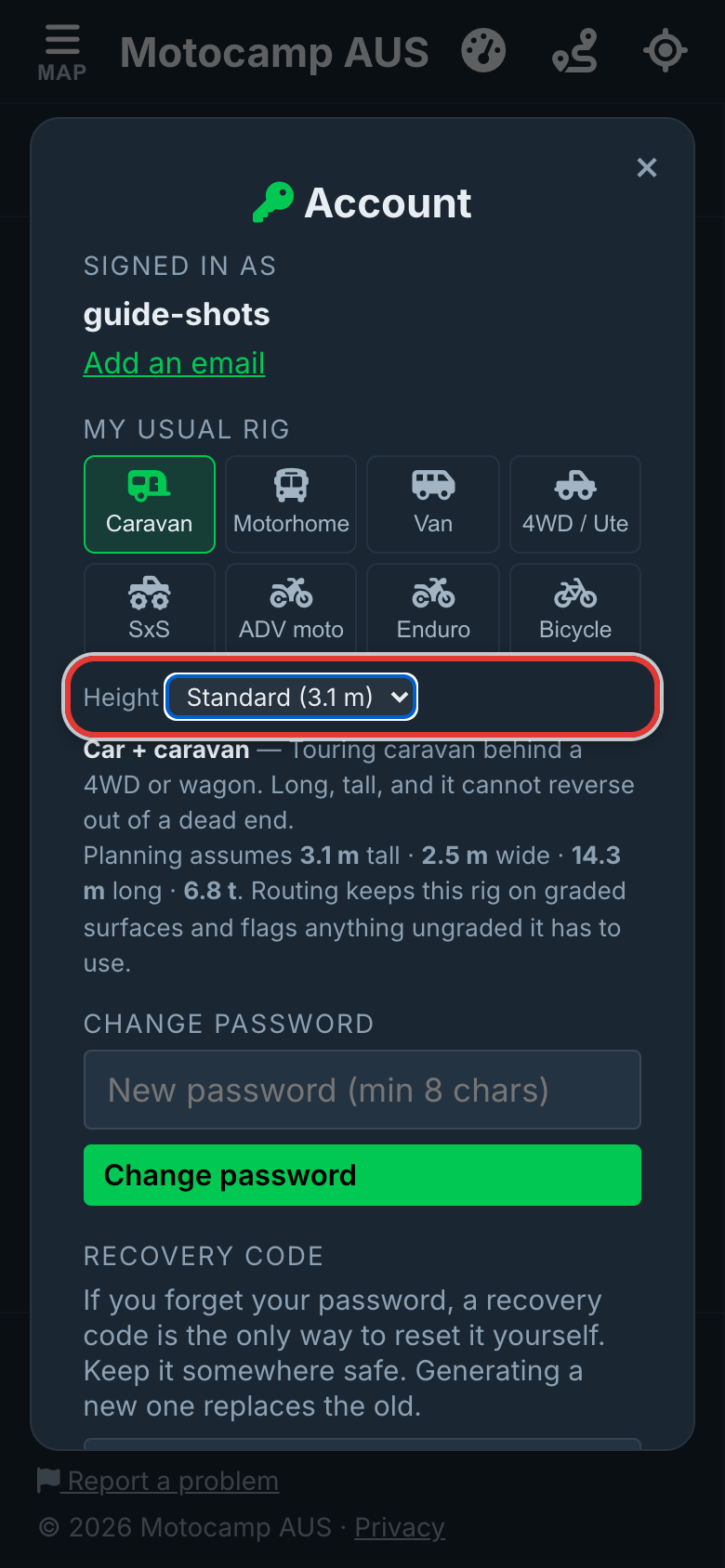
To go back to the standard height, open the list again and pick Standard. It is at the top.
7.5Towing a caravan or trailer
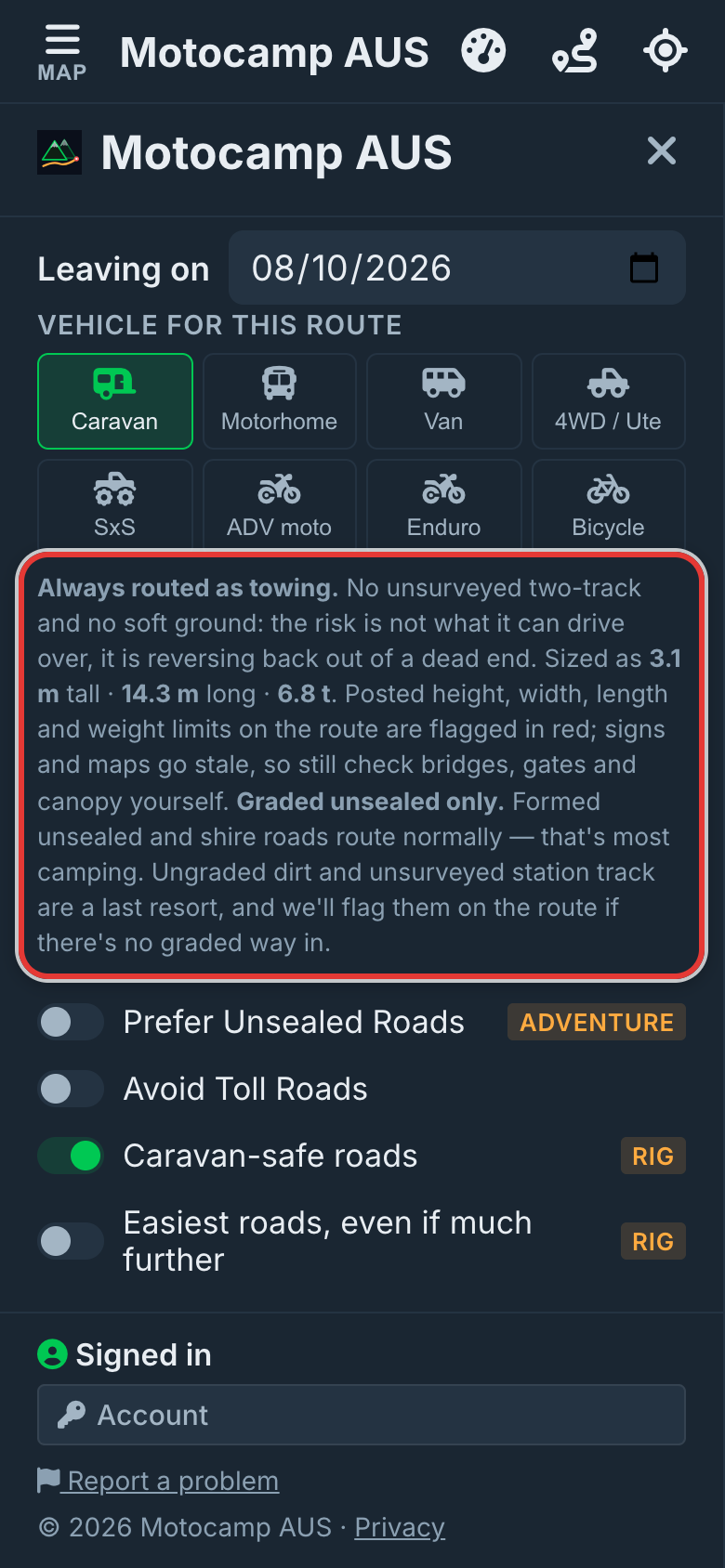
Some vehicles can pull a caravan or trailer. Tell the app when you do. A trailer makes your rig longer and heavier, and you can't easily back it out of a dead end.
- Tap Menu, then the Route tab.
- Under Vehicle for this route, tap 4WD / Ute, Van or Motorhome.
- Tick Towing a caravan or trailer, under the buttons.
It adds 8.7 m and 3.3 t to your vehicle. It also plans you at least 3.1 m tall and 2.5 m wide. That is the size of a caravan. A bigger vehicle keeps its own size.
Towing keeps you off rough two wheel tracks, 4WD only tracks and soft ground. Formed unsealed and shire roads stay open to you.
| Towing behind | Height | Width | Length |
|---|---|---|---|
| 4WD / Ute | 3.1 m | 2.5 m | 14.3 m |
| Van | 3.1 m | 2.5 m | 15.7 m |
| Motorhome | 3.7 m | 2.5 m | 18.7 m |
A Caravan is always planned as towing. It has no tick, because the trailer is part of it.
Step by step, with pictures: Gentler roads when you're towing
7.6Caravan-safe roads and Easiest roads
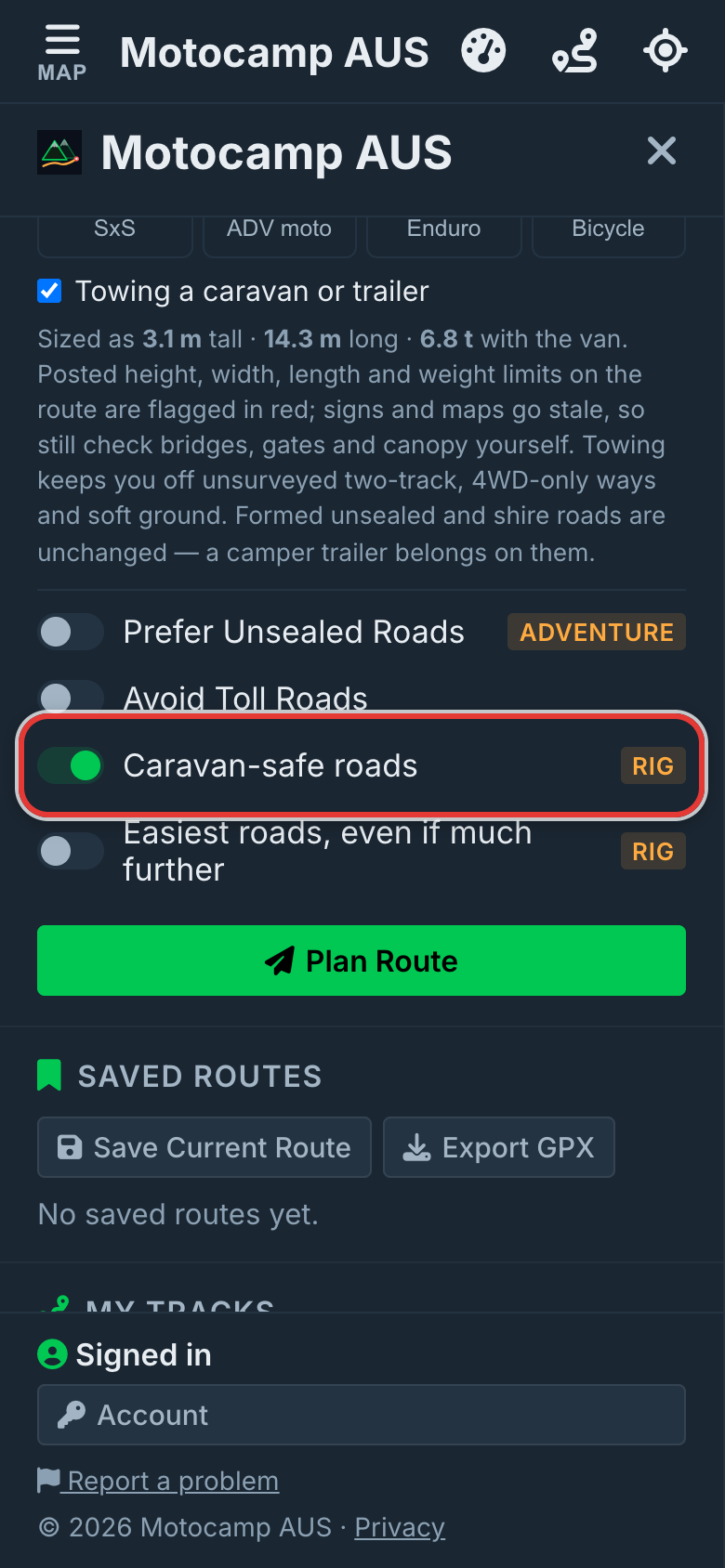
When you pick a Caravan, a Motorhome, or any vehicle with Towing a caravan or trailer ticked, the switches change. Prefer Twisty Roads and Avoid Highways step aside. A new switch takes their place.
It is called Caravan-safe roads. For an motorhome it reads Motorhome-safe roads. It is on to start with.
It favours main roads. It keeps off steep hills, tight bends and unsealed roads where it can. It keeps off roads with signs against caravans. It keeps off roads with a size limit you won't fit.
Turn it off and you get the plain road route for your vehicle. The app still tells you about signed roads on the line.
Under it is Easiest roads, even if much further. It is off to start with. Tick it to stay on main roads and gentle hills, even when that adds a lot of distance.
- Tap Menu, then the Route tab.
- Under Vehicle for this route, tap your rig.
- Leave Caravan-safe roads on.
- Tick Easiest roads, even if much further, if you want the gentlest way.
- Tap Plan Route.
Ticking Easiest roads turns Caravan-safe roads back on. Turning Caravan-safe roads off turns Easiest roads off too.
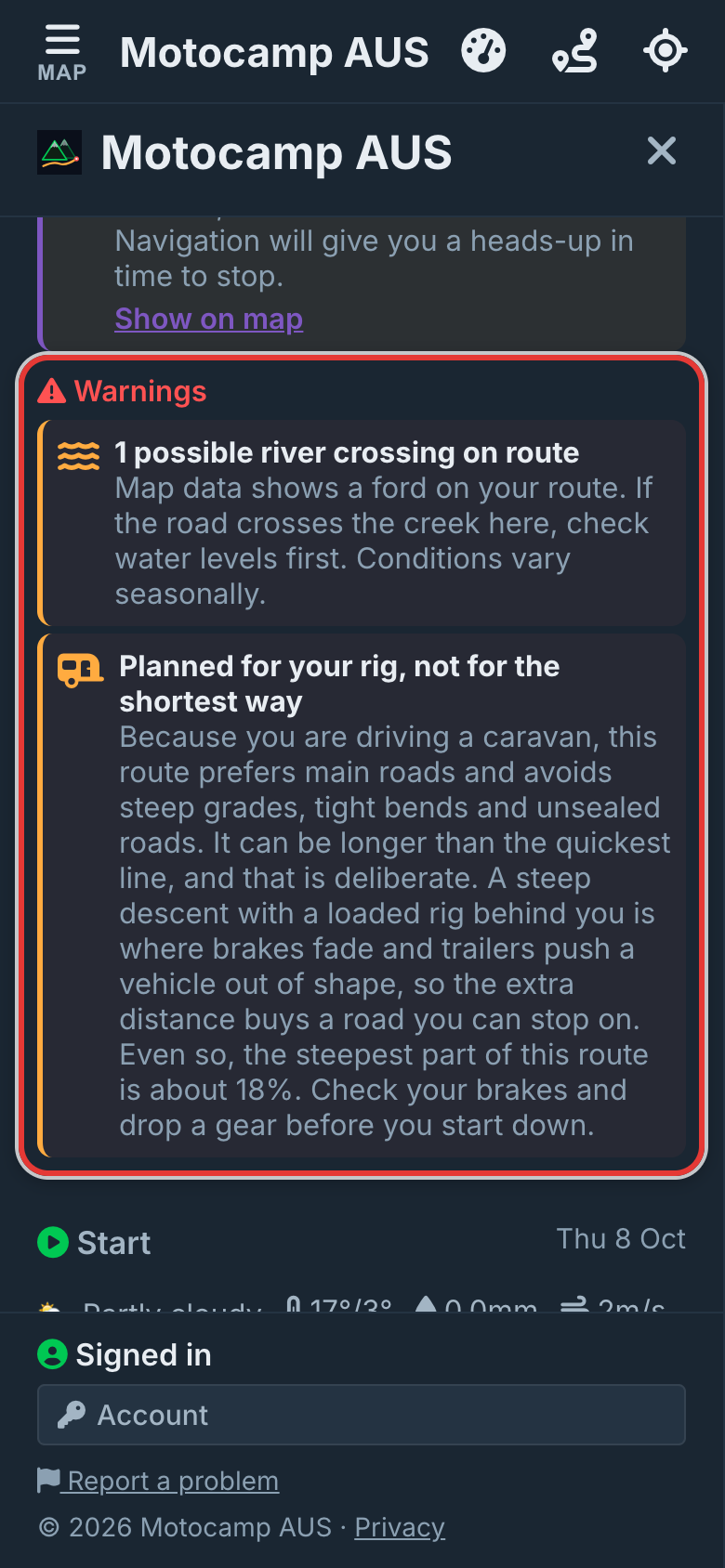
After you plan, look under Warnings in the Route Summary. A card says Planned for your rig, not for the shortest way. It explains why the route may be longer. It gives the steepest hill on it, as a percentage.
Step by step, with pictures: Gentler roads when you're towing · Choose the kind of road you want
7.7The limits the app checks
Some roads have a posted limit. That is a sign that says how tall, wide, long or heavy a vehicle may be. The app reads these limits from the map and compares them with your vehicle.
| Limit | What the app does |
|---|---|
| Height, such as a low bridge or a height bar | Kept off the route for a rig. Warned about for every vehicle with sizes. |
| Width | Kept off the route for a rig. Warned about for every vehicle with sizes. |
| Length | Kept off the route for a rig. Warned about for every vehicle with sizes. |
| Weight | Warned about only. The route is not moved for it. |
| Roads closed to caravans | Kept off the route while Caravan-safe roads is on. Named in a note if the route still uses one. |
A rig here means a caravan, a motorhome, or anything towing.
A van or 4WD on its own gets the warnings, but the route is not moved for them.
Warnings show under Warnings in the Route Summary. The spot is marked in red on the map. Tap the mark to read the posted limit and your size.
A low bridge or height bar on the line needs signal to check. With no signal, the app still keeps off the signed roads it has stored on your phone.
What the app does not check:
- Signs that are not in the map. Many real signs are missing from it.
- Your load. Anything on the roof is up to you.
- Weight per axle, and bridges with no weight sign in the map.
- Tight turns, steep driveways and low trees beside the road.
- Width, length and weight you set yourself. Only the height can be changed.
Step by step, with pictures: Keep your rig clear of low bridges
7.8Bikes and side-by-sides
Pick Enduro for a road registered enduro bike. The route goes looking for the hardest tracks. Prefer Unsealed Roads turns into Hardest Tracks, which goes further still.
Pick ADV moto for an adventure bike with bags. It favours good gravel and forest roads. Hard tracks are a last resort.
Pick SxS for a side-by-side. Rough ground is the goal, and the route never uses motorways.
Pick Bicycle for a pedal bike or an e-bike. The route uses bike paths, rail trails and quiet roads. It hides the road switches, because a bike route never uses motorways anyway.