
Keep your rig clear of low bridges
You can't see that low bridge until you're already committed, van and all. This helps you avoid that. Pick what you tow or drive and set its height. The route then goes around roads your rig is too tall, too wide or too long for. It also avoids roads closed to caravans.
1Open Menu, then Route
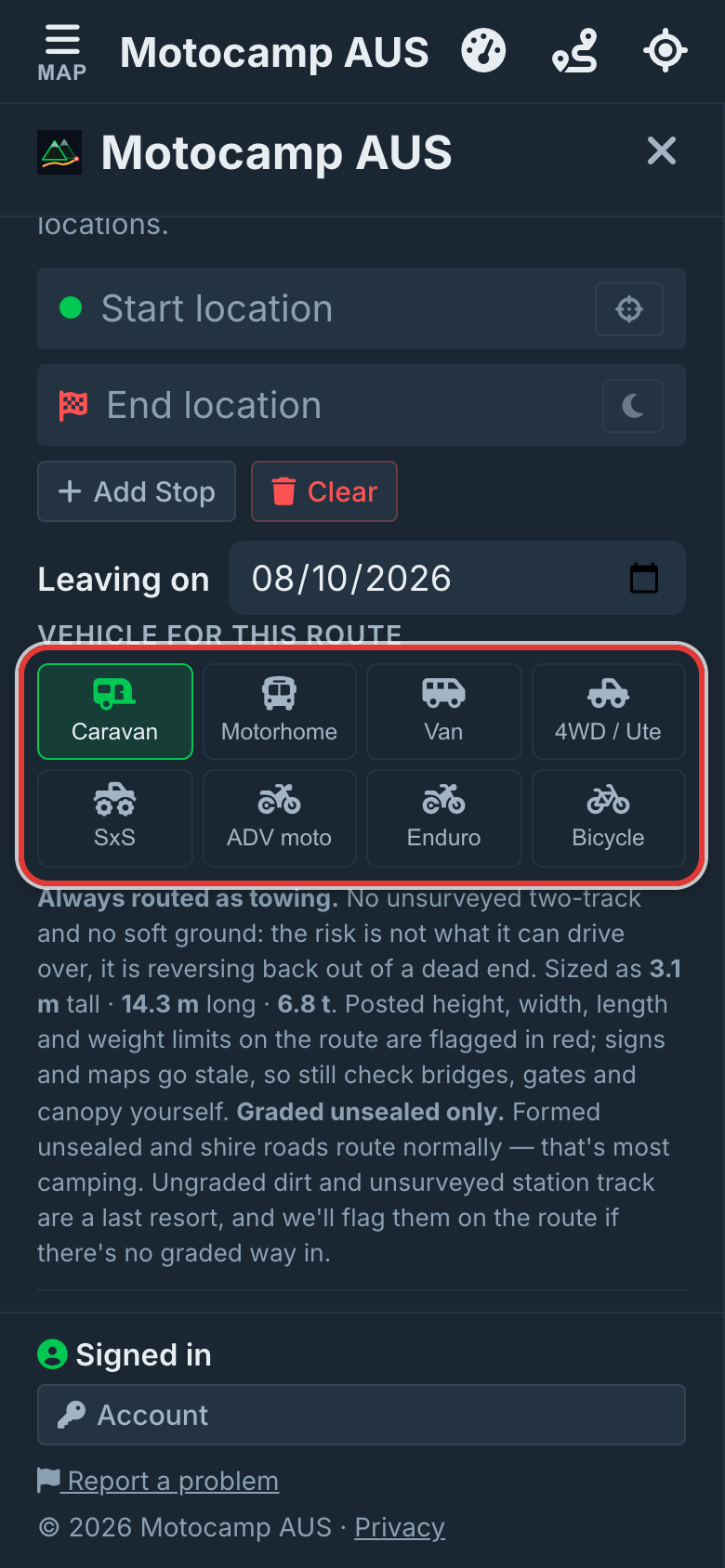
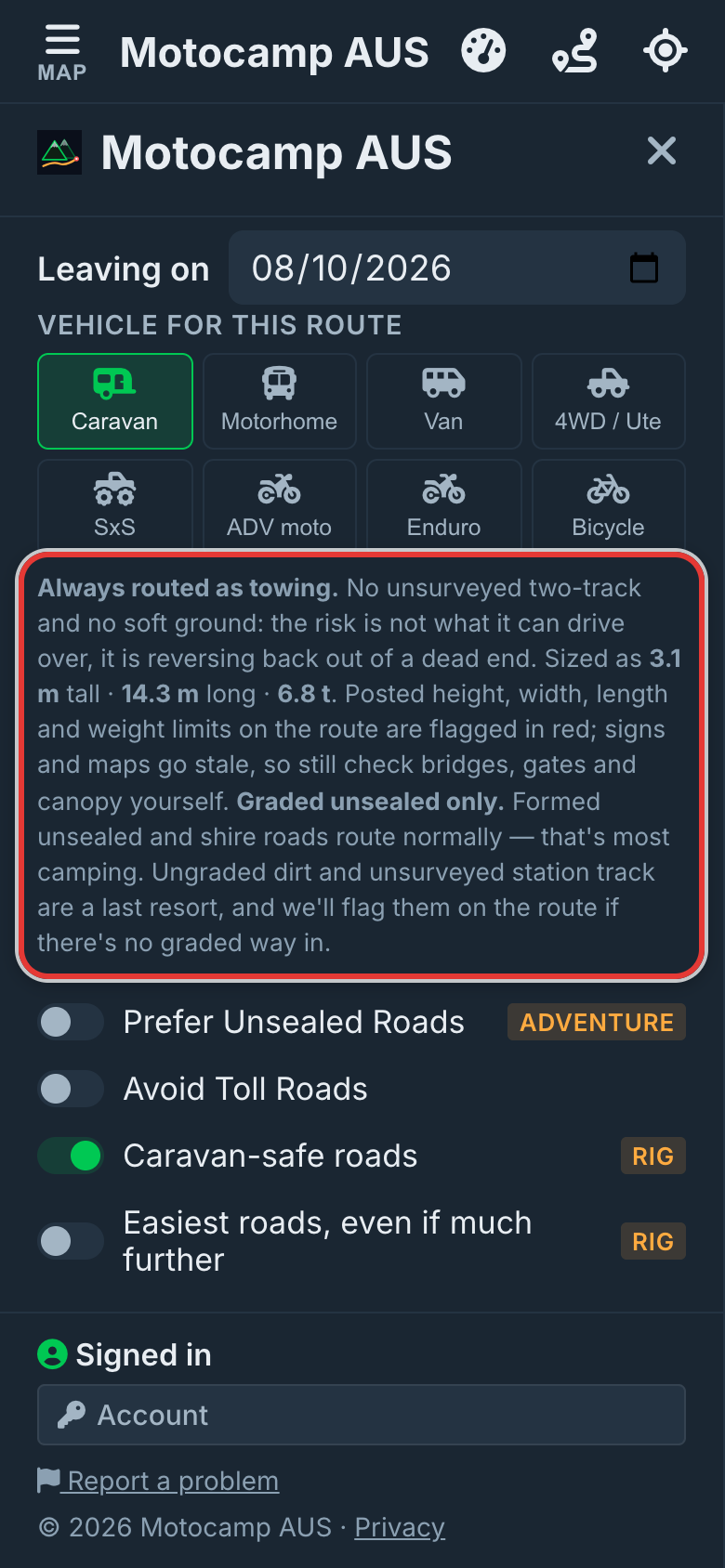
Tap Menu, then the Route tab. Scroll down past Plan with AI to Vehicle for this route. Tap the button for your setup. Caravan is a car or 4WD with a caravan. Van is a van or campervan. There's also Motorhome and 4WD / Ute. Your pick is for this route only. Use my usual rig puts it back.
2Check the size it plans for
A line under the buttons shows the size the app plans for. For a motorhome it says Sized as 3.7 m tall · 10 m long · 8.7 t. Towing behind a 4WD / Ute, Van or Motorhome? Tick Towing a caravan or trailer. This adds 8.7 m and the van's weight. It also plans you as tall as a caravan, 3.1 m, unless your vehicle is taller.
3Open Menu, then Account
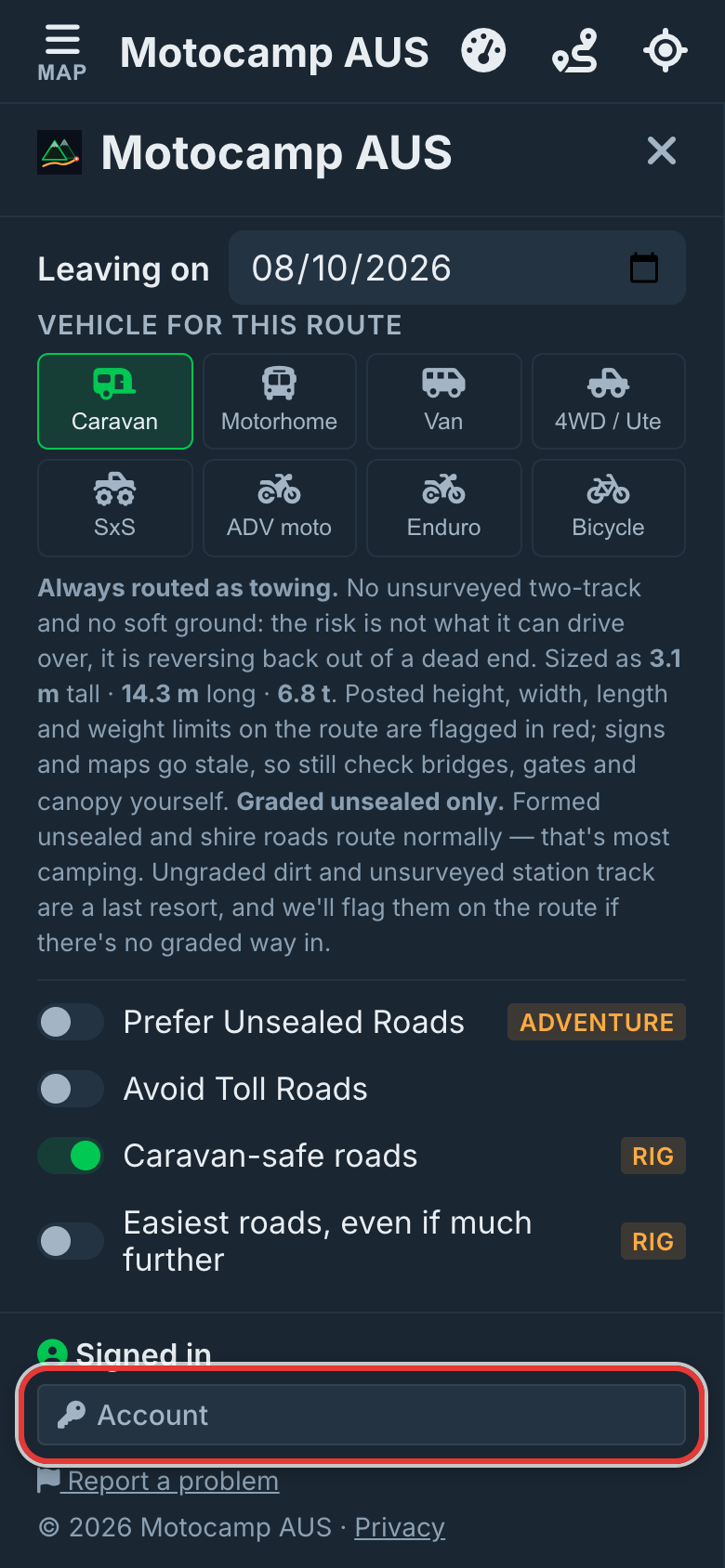
Each rig starts with a standard height. We set it on the tall side to be safe. If your rig is a different height, you can set your own. Tap Menu, scroll to the bottom and tap Account. Find My usual rig. This is the vehicle you normally travel in. Your own height is kept here.
4Set your own height
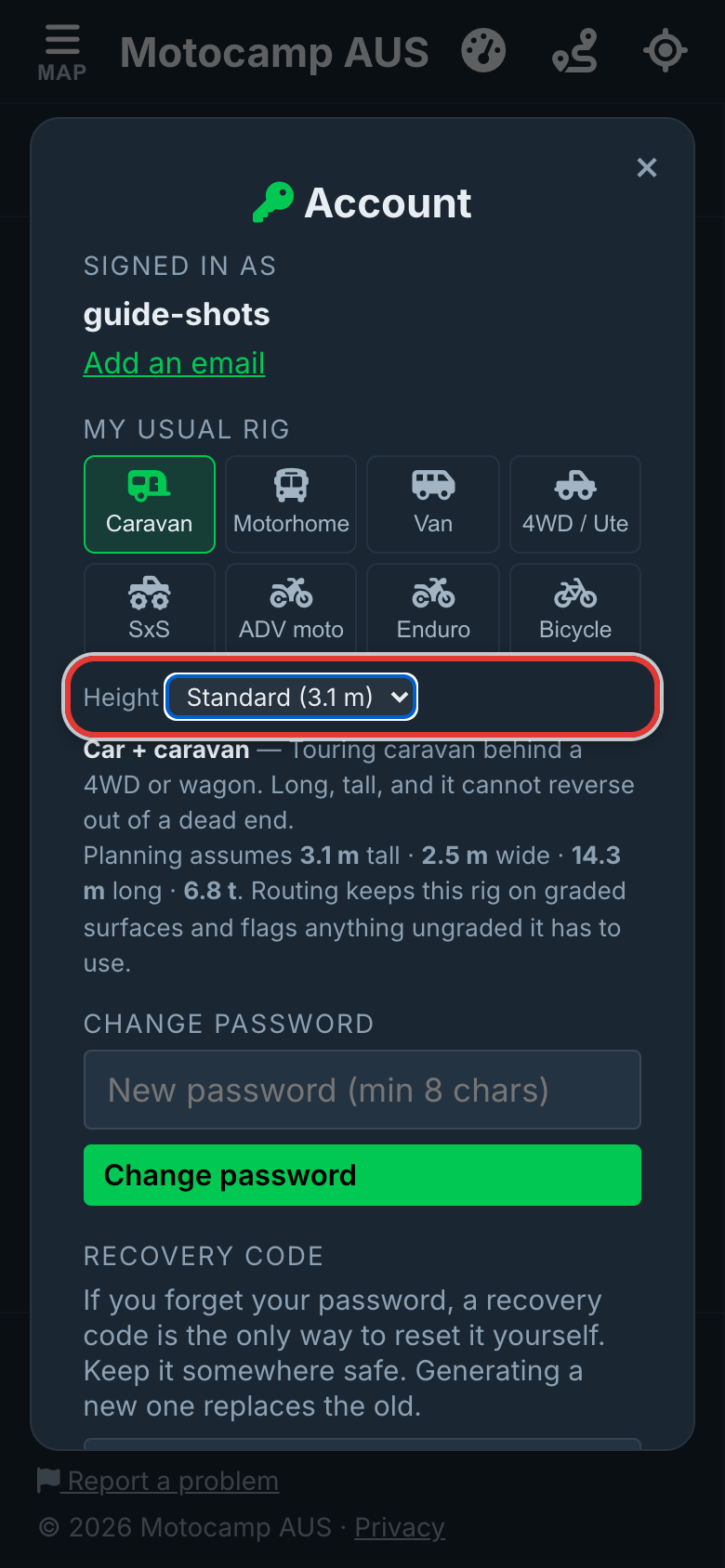
Under My usual rig, tap your vehicle. This also makes it your default. Then tap change next to Height. Pick your height from the list. It goes from 1.5 m to 4.3 m, in steps of 10 cm. It saves as soon as you pick, and you'll see (yours) beside it. That height is used for that vehicle on every route. To go back, pick Standard. Width, length and weight stay the standard for your vehicle.
5Plan Route, then read Warnings
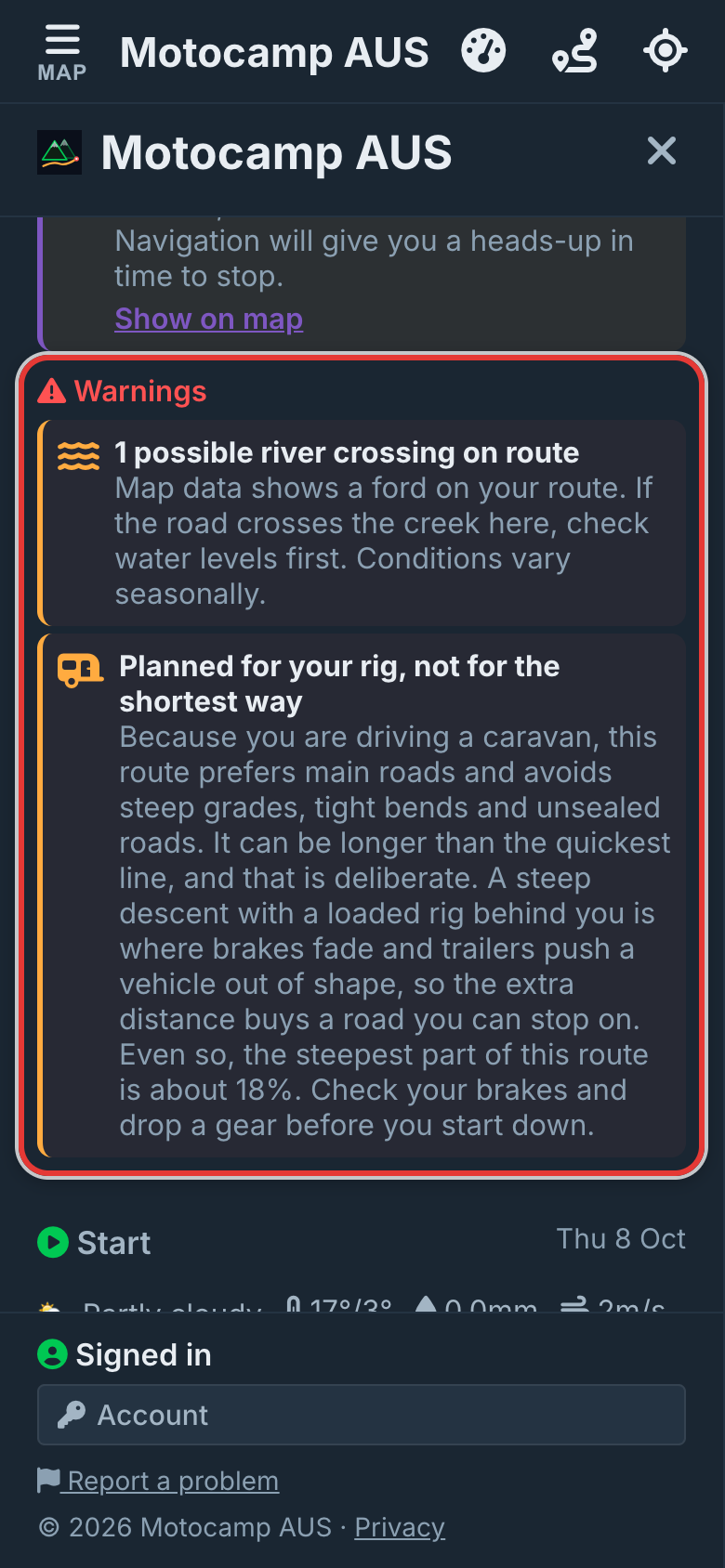
Close Account. Add your start and end, and tap Plan Route. The route stays off roads with a posted height, width or length your rig won't fit. It also stays off roads closed to caravans. Then look under Warnings in the Route Summary. Any posted limit still on the route is listed there. It could be a low bridge, or the height bar at a campsite gate. It's marked in red on the map too.
Good to know
The app only knows the limits that are in its map data. Plenty of real signs aren't there yet. So the signs on the road always come first. You can only set the height. Width, length and weight come from the vehicle you pick. The check for low bridges and height bars needs signal. With no signal, the app still keeps off the signed roads it has stored on your phone. A van or 4WD on its own gets warnings about posted limits. A caravan, a motorhome or anything towing also gets a route that goes around them.
Also in the app: maps that work with no signal, campgrounds and free camps, and Plan with AI. It plans routes for eight kinds of vehicle, from an enduro bike to a 10-metre motorhome.