
Find a place to stop for the night
Where you stop for the night is half the planning. A dot on a map doesn't tell you much. Motocamp puts caravan parks, national park campgrounds, free camps and rest areas on the map. Tap any pin to see the cost, the facilities, the road in, the phone signal and the weather.
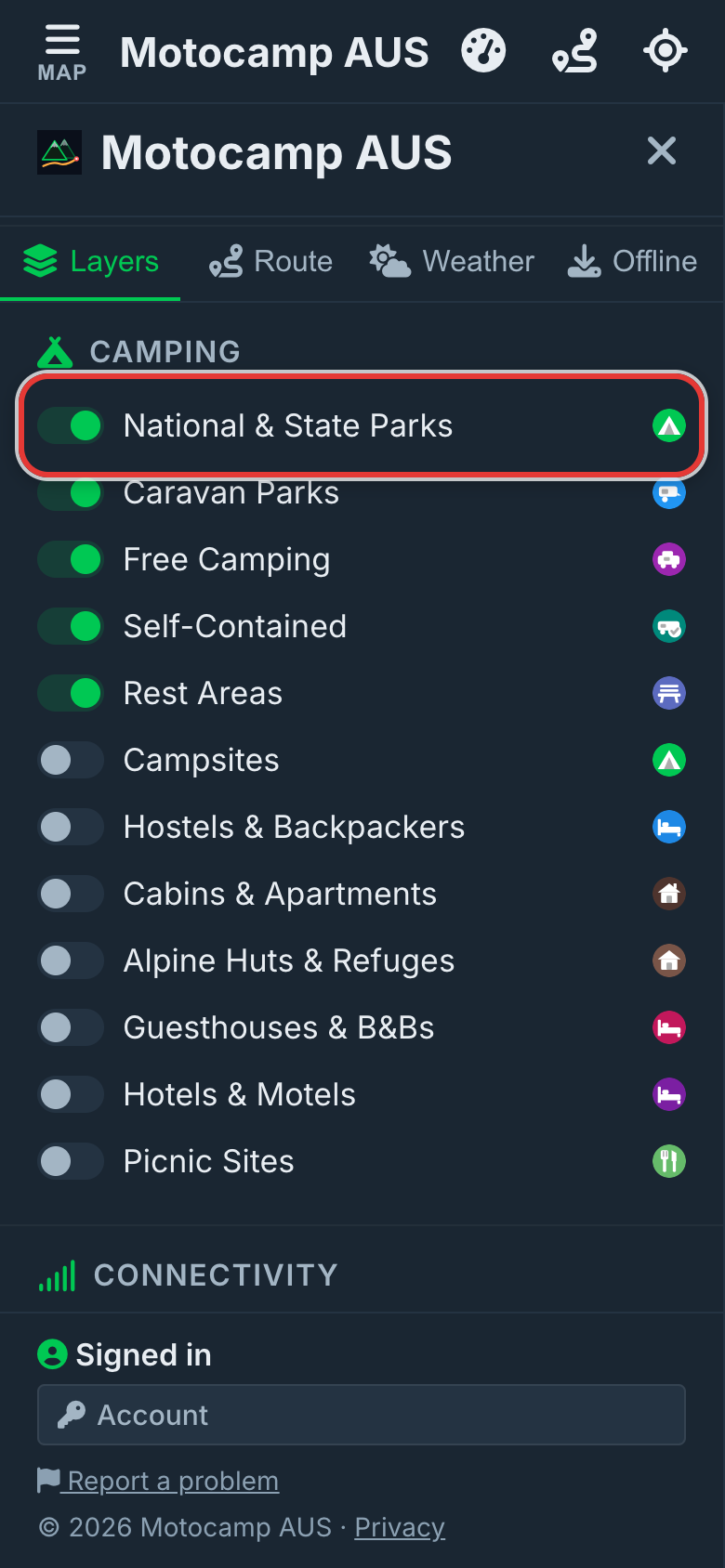
1Open Menu, then Layers
Tap Menu at the top of the screen. Then tap the Layers tab. Under Camping, each switch puts one kind of place on the map. These start switched on: National & State Parks, Caravan Parks, Free Camping, Self-Contained and Rest Areas. Turn on Campsites to see more from map data. Want a bed? Turn on Hotels & Motels, Cabins & Apartments or the others.
2Find the pins on the map
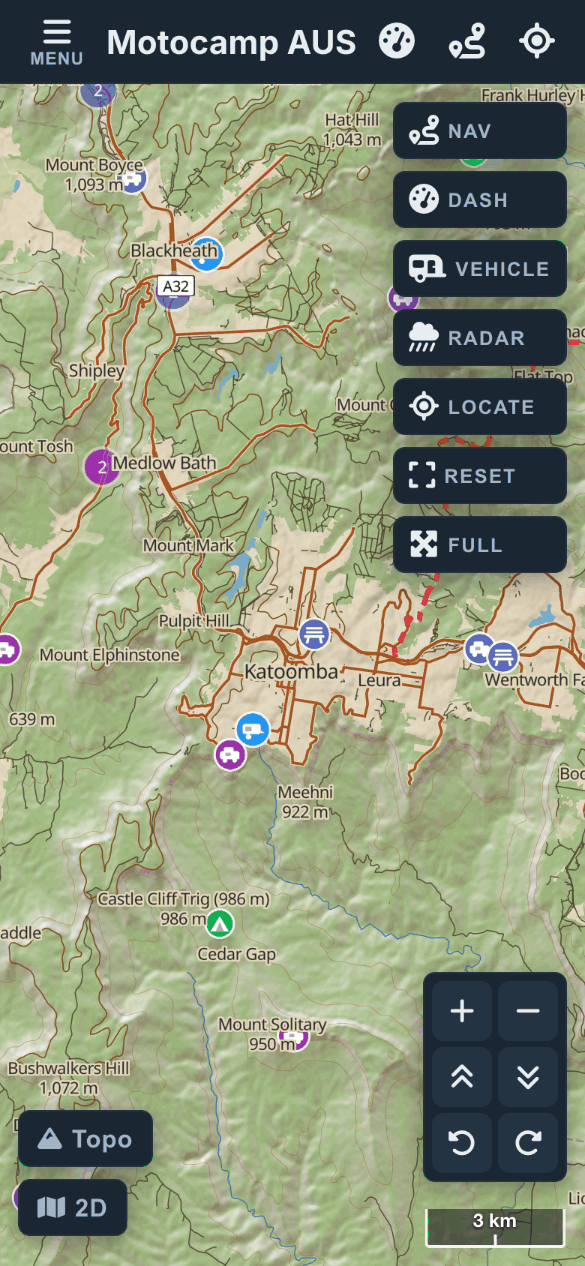
Close the Menu. Move the map to where you'd like to stop. When you're zoomed out, you'll see soft circles with a number. The number is how many places are in that area. Tap a circle, or zoom in. Then the single pins appear.
3Tap a pin to see its card
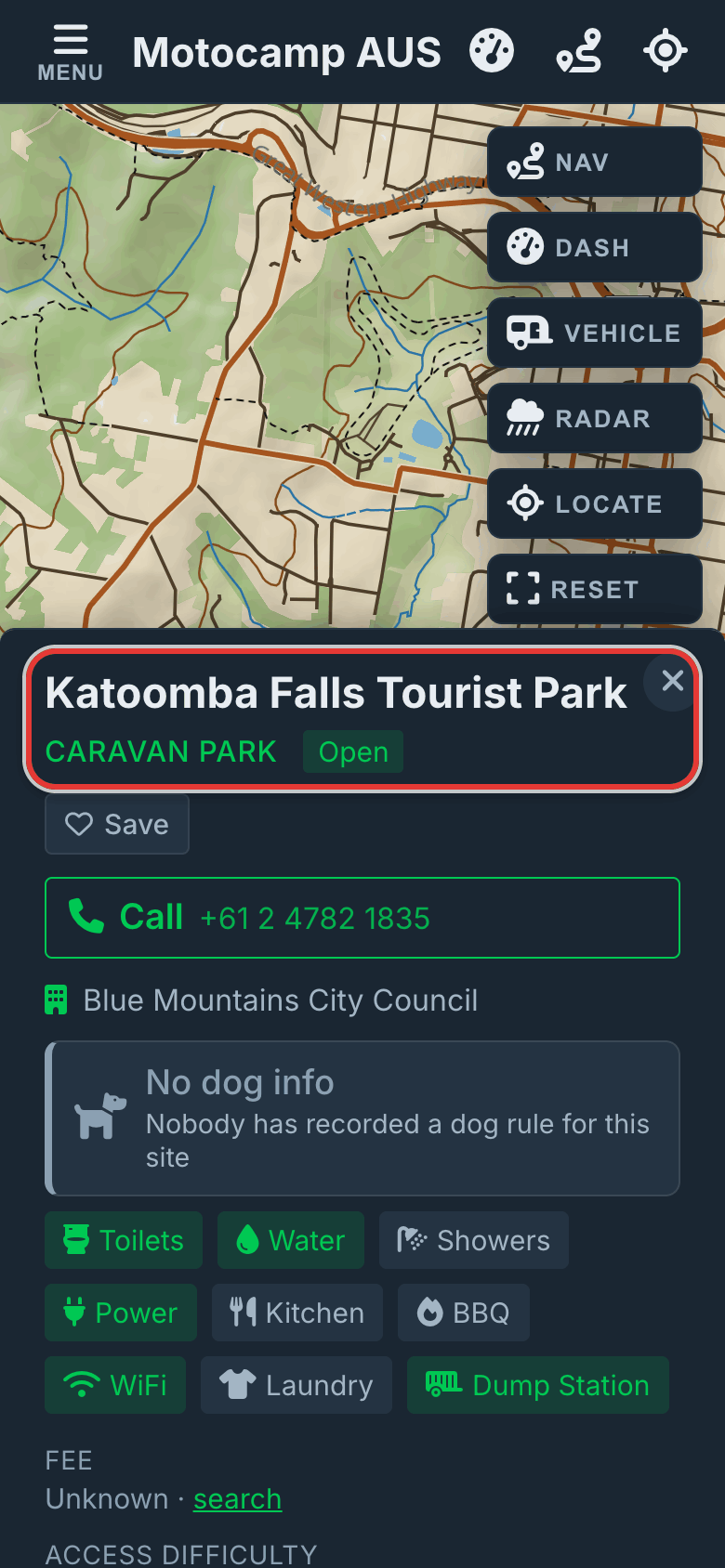
Tap a pin, and its card opens. The top shows the name, the kind of place and whether it's open. Tap Save to keep it in your Saved Spots. Buttons for Visit website or Book direct, and Call, show when we have them. The dog row says if dogs are allowed. Or it says nobody has recorded that yet.
4Read the details
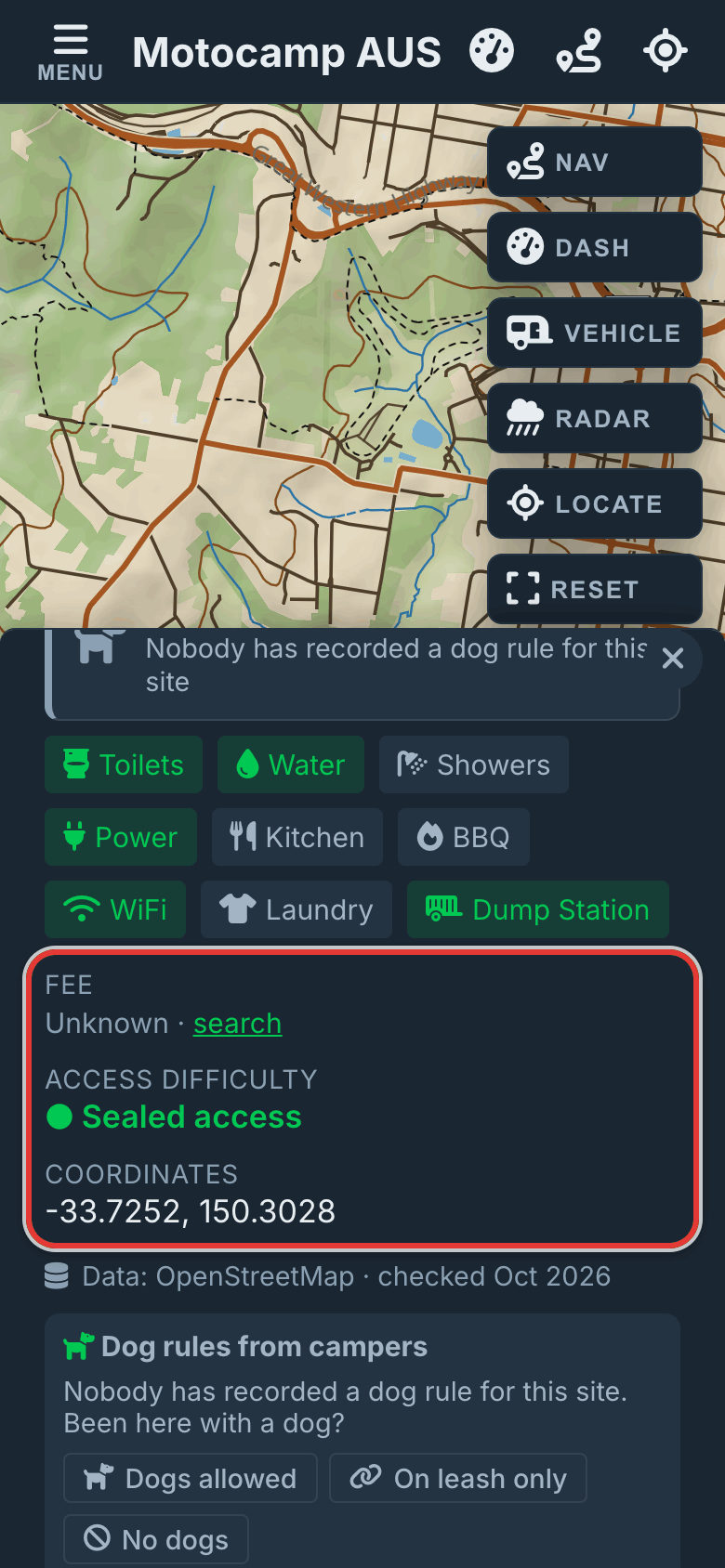
Scroll down the card. You'll see the facilities and the Fee, which is the cost. Access difficulty tells you how rough the road in is. Opening Hours and Bookings show when we know them. Further down are reviews and dog rules from other campers. Nearby (within 20km) counts fuel, shops and water close by. Then come Cell Coverage (estimated) and a 7-Day Forecast for that spot.
5Make it your stop
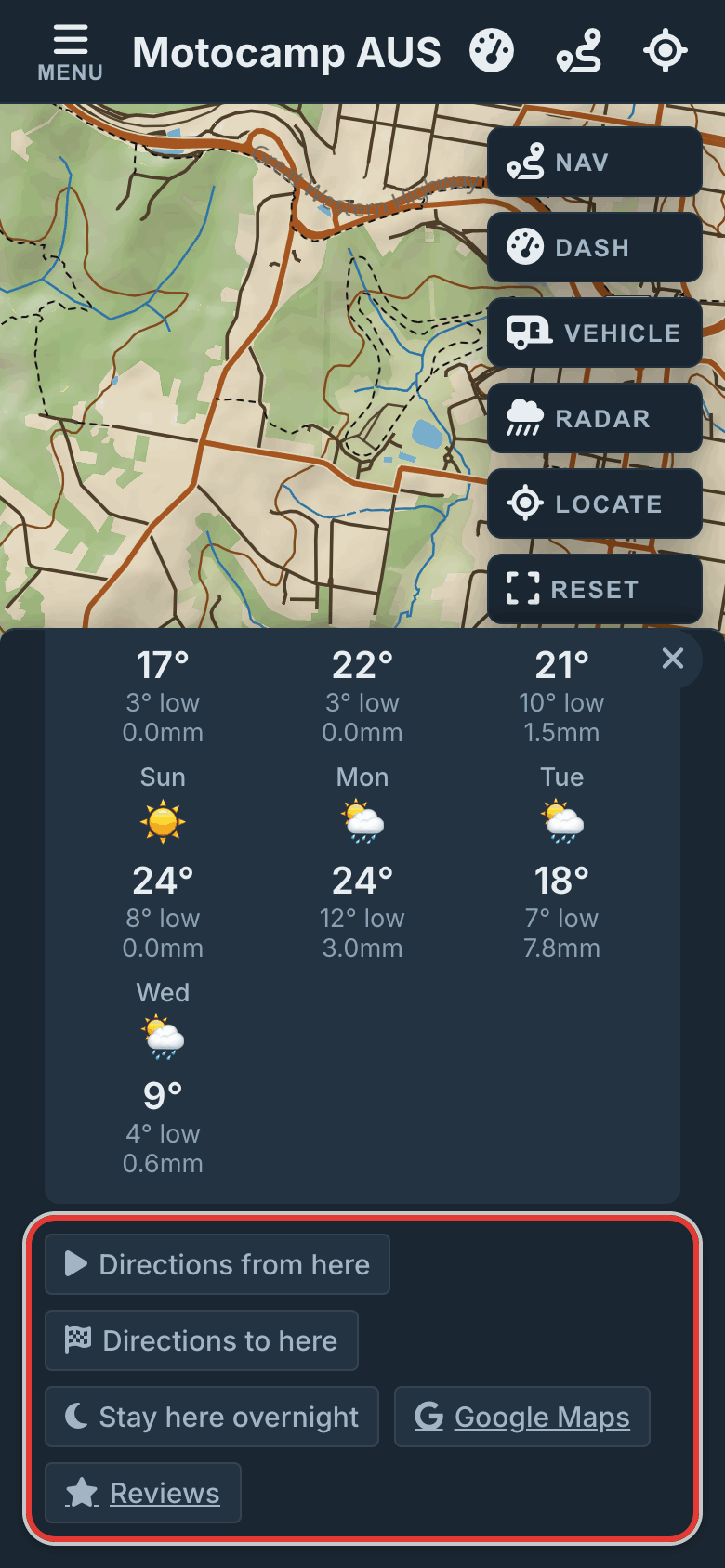
Tap Stay here overnight. The app plans a route there from where you are. It marks the site as your stop for the night. Directions to here plans a route to the site. Directions from here starts a route at the site. Already have a route? Then the card shows Head here next and Stay here overnight. Both add the site to your route.
6Narrow it down with filters
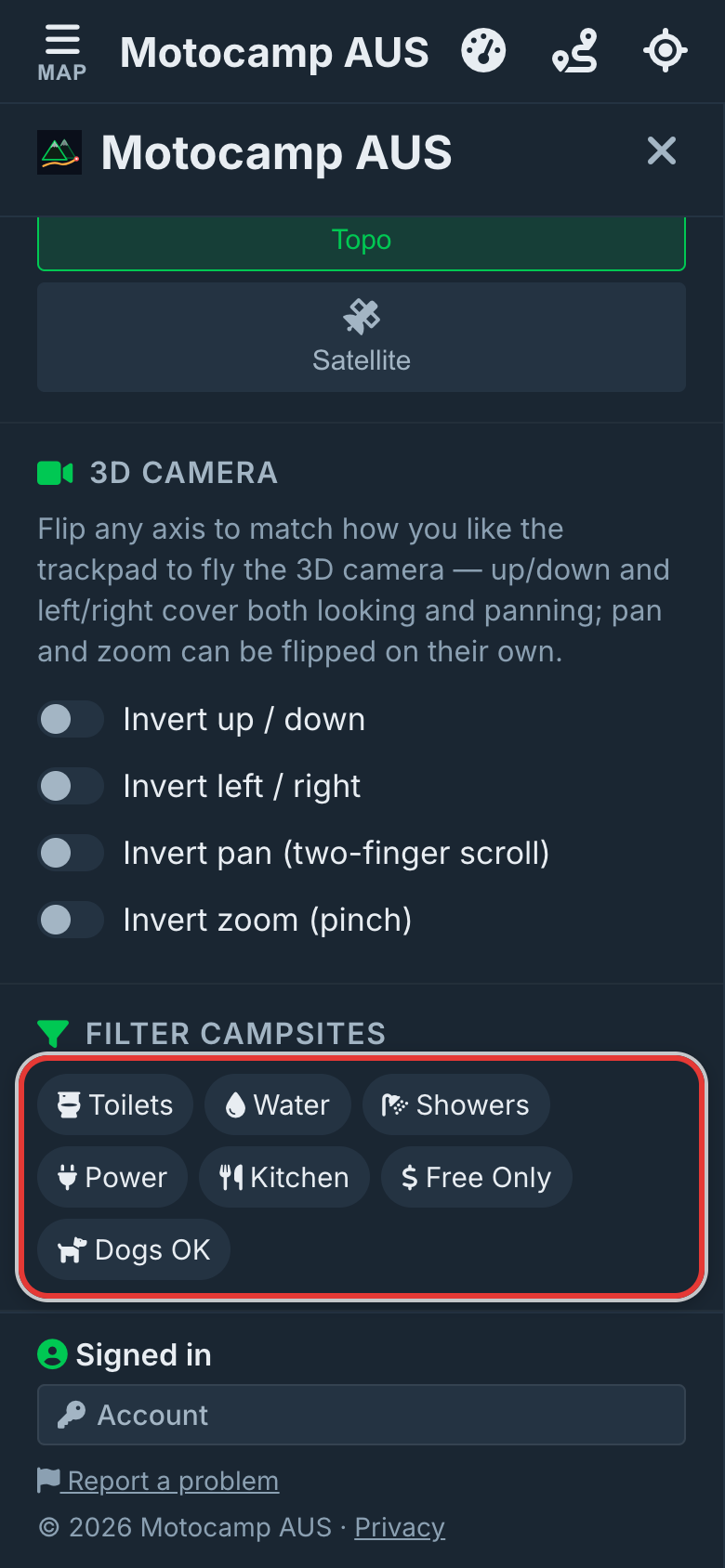
Too many pins? Open Menu, then Layers. Scroll to Filter Campsites at the bottom. Tap Toilets, Water, Showers, Power, Kitchen, Free Only or Dogs OK. Sites that don't match fade, so the rest stand out. Tap a chip again to turn it off. Filters stay on until you do, even after you close the app.
Good to know
A blank row on a card means nobody has recorded it. It doesn't mean the thing isn't there. The phone coverage is a best guess. The filters work on National & State Parks, Caravan Parks, Free Camping and Self-Contained. Rest Areas and Campsites always stay bright. Opening hours and fees change. So check with the park before you rely on them.
Also in the app: maps that work with no signal, campgrounds and free camps, and Plan with AI. It plans routes for eight kinds of vehicle, from an enduro bike to a 10-metre motorhome.