
Put a missing place on the map
You've found a good free camp, a dump point or a water tap. But it isn't on the map. Press and hold the place, and add it yourself. It shows for other campers straight away. It's marked unconfirmed until someone checks it.
1Press and hold the spot
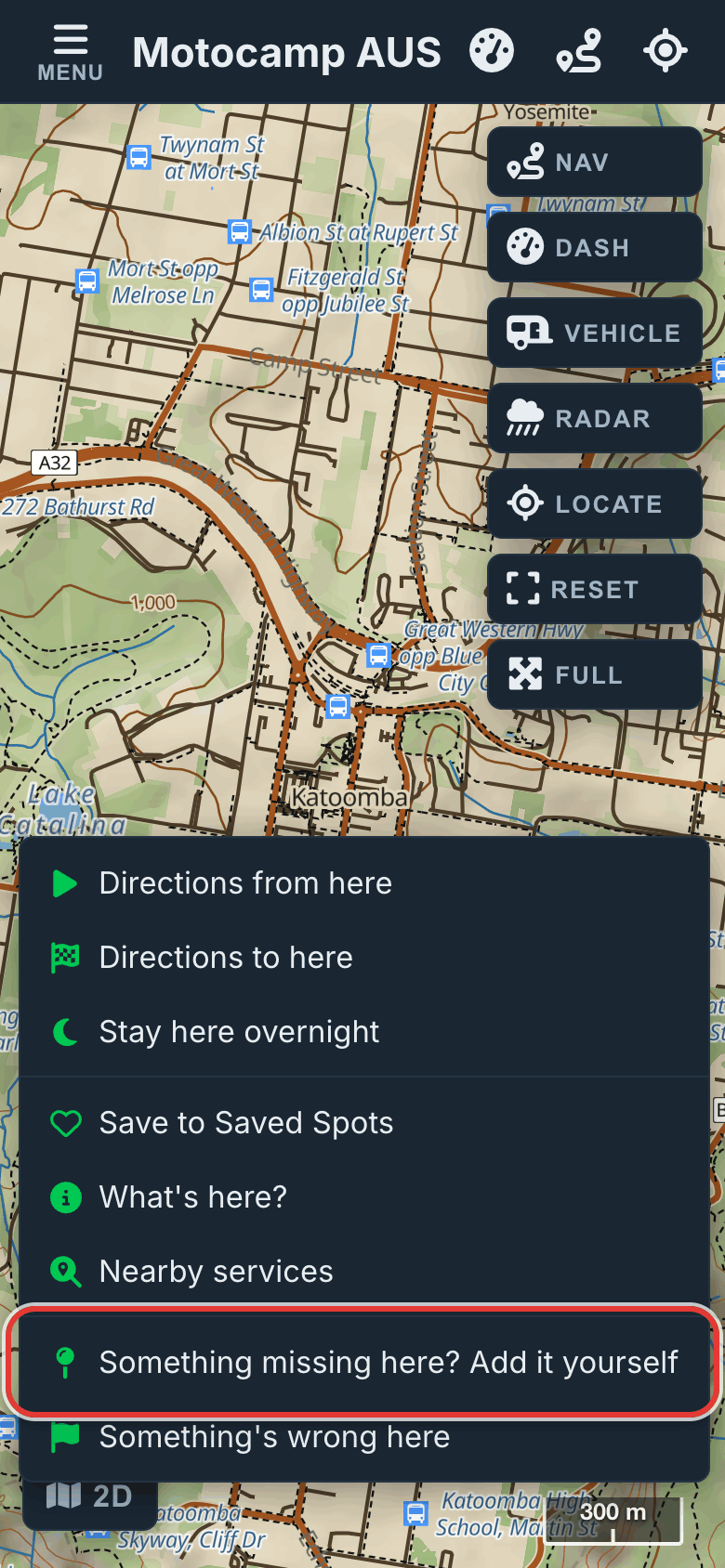
Find the place on the map. Zoom in close, so your pin goes in the right spot. Press and hold that spot with one finger. Keep holding for about half a second, until a menu opens. On a computer, right-click instead. Near the bottom of the menu is Something missing here? Add it yourself.
2Name it and pick its kind
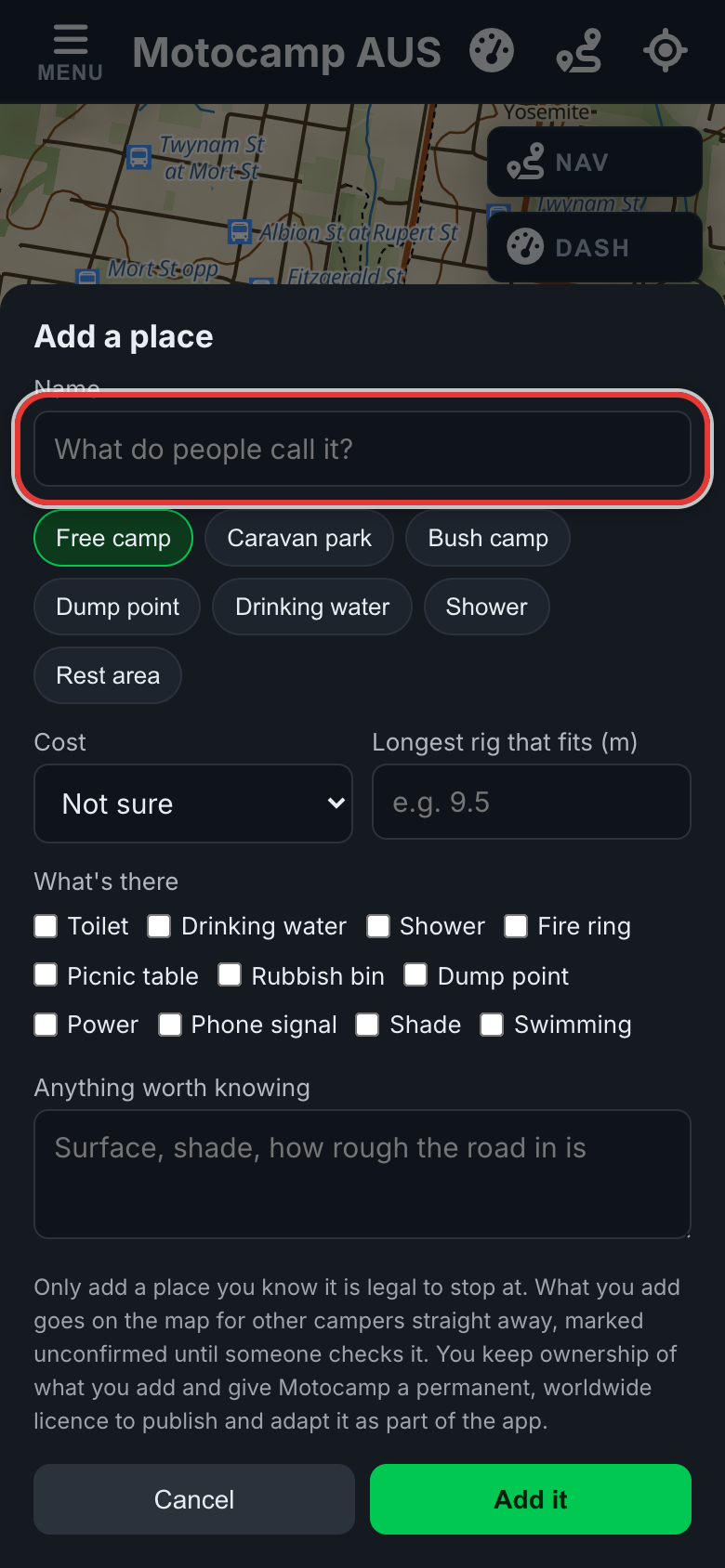
Tap Something missing here? Add it yourself. Is a place like it close by? Then the app shows it first, under This might already be here. Tap That's it if it's the same place. Tap Right place, wrong spot if its pin is a bit off. Tap Mine's different to carry on. Under Name, type what people call it. Then tap what it is: Free camp, Caravan park, Bush camp, Dump point, Drinking water, Shower or Rest area.
3Add what you know
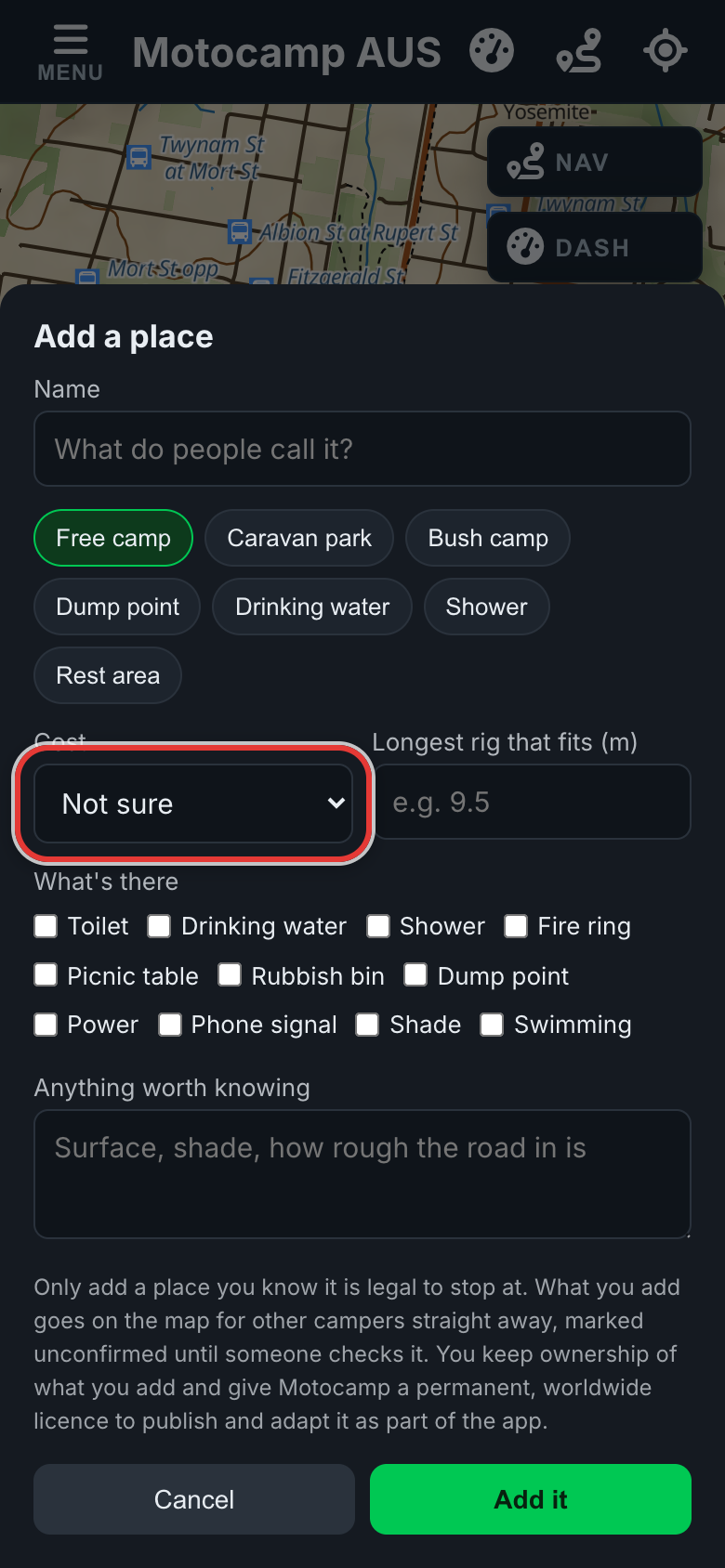
Set Cost to Free, Costs money or Not sure. Know the longest vehicle that fits there? Type it in Longest rig that fits, in metres. Under What's there, tick what you saw. For example: Toilet, Drinking water or Phone signal. Use Anything worth knowing for the ground, the shade or how rough the road in is. Only add a place where you know it's fine to stop.
4Tap Add it
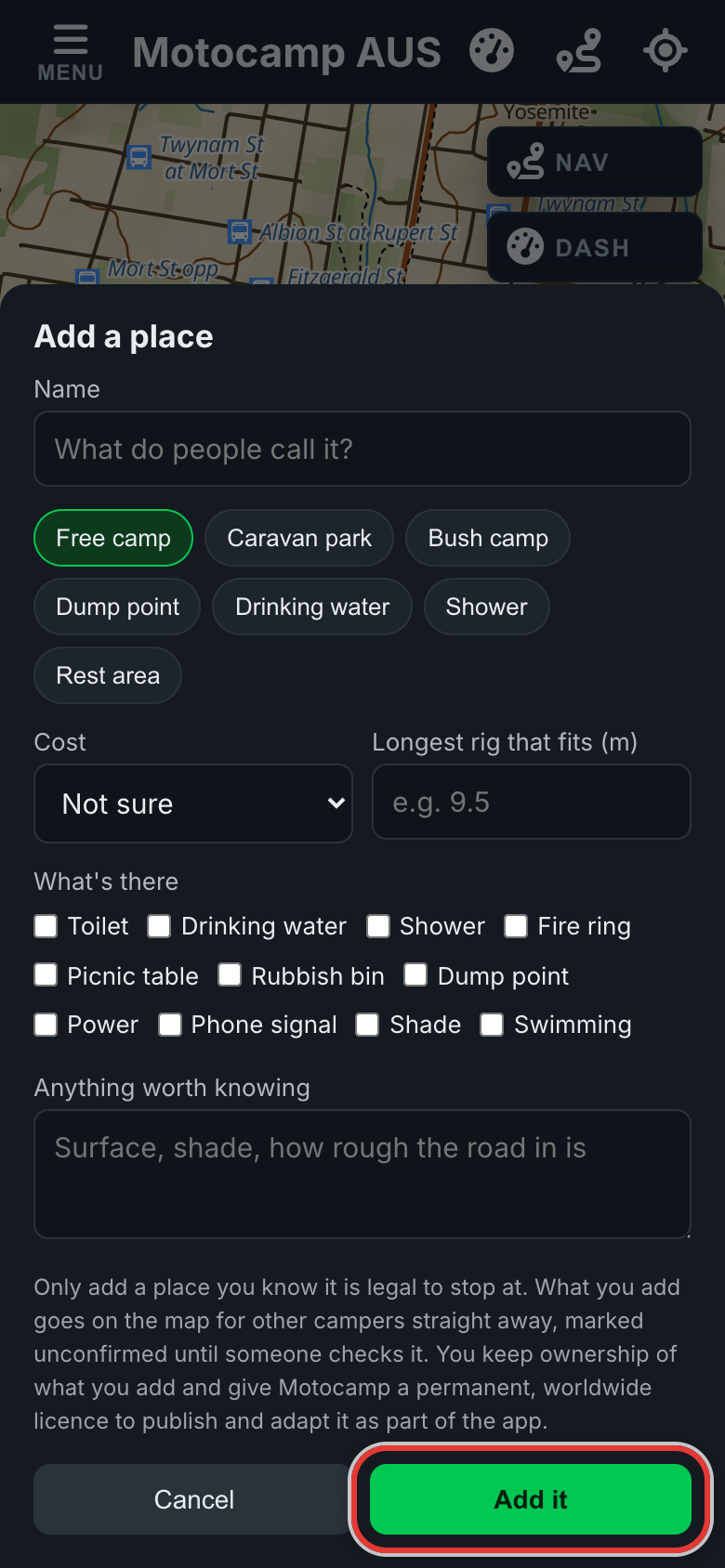
Check what you wrote, then tap Add it. The form closes. Your place goes on the map for everyone as an orange pin. It looks faded until other campers confirm it. No signal? The app keeps it and sends it when you're back in range. You can add up to five places in any 24 hours.
5Answer for places others added
Orange pins are places other campers added. Tap one to open its card. Under Added by a camper, tap I've been, it's here, It's gone or Wrong spot. Answers from people standing there count double. Two campers who've been there confirm a place. So do four checking from home. Then its pin turns solid. For Wrong spot, turn your location on and stand at the real place.
Good to know
A new place goes up on the word of the camper who added it. So treat an unconfirmed pin as a tip, not a fact. Confirmations count for less as they get older. So a place that closes doesn't stay confirmed forever. If campers disagree about a place, its pin turns dark grey. Links aren't allowed in the name or the note. Sometimes the words are checked before other campers see them. You'll still see your own pin. Want a spot just for you? Pick Save to Saved Spots in the same menu. Only you can see those.
Also in the app: maps that work with no signal, campgrounds and free camps, and Plan with AI. It plans routes for eight kinds of vehicle, from an enduro bike to a 10-metre motorhome.