
Gentler roads when you're towing
Towing a caravan down a steep, winding range is nobody's favourite part of a trip. Tell the app what's on the back. It plans main roads with gentler hills and fewer sharp bends. It does this even when it's a longer way around.
1Open Menu, then Route
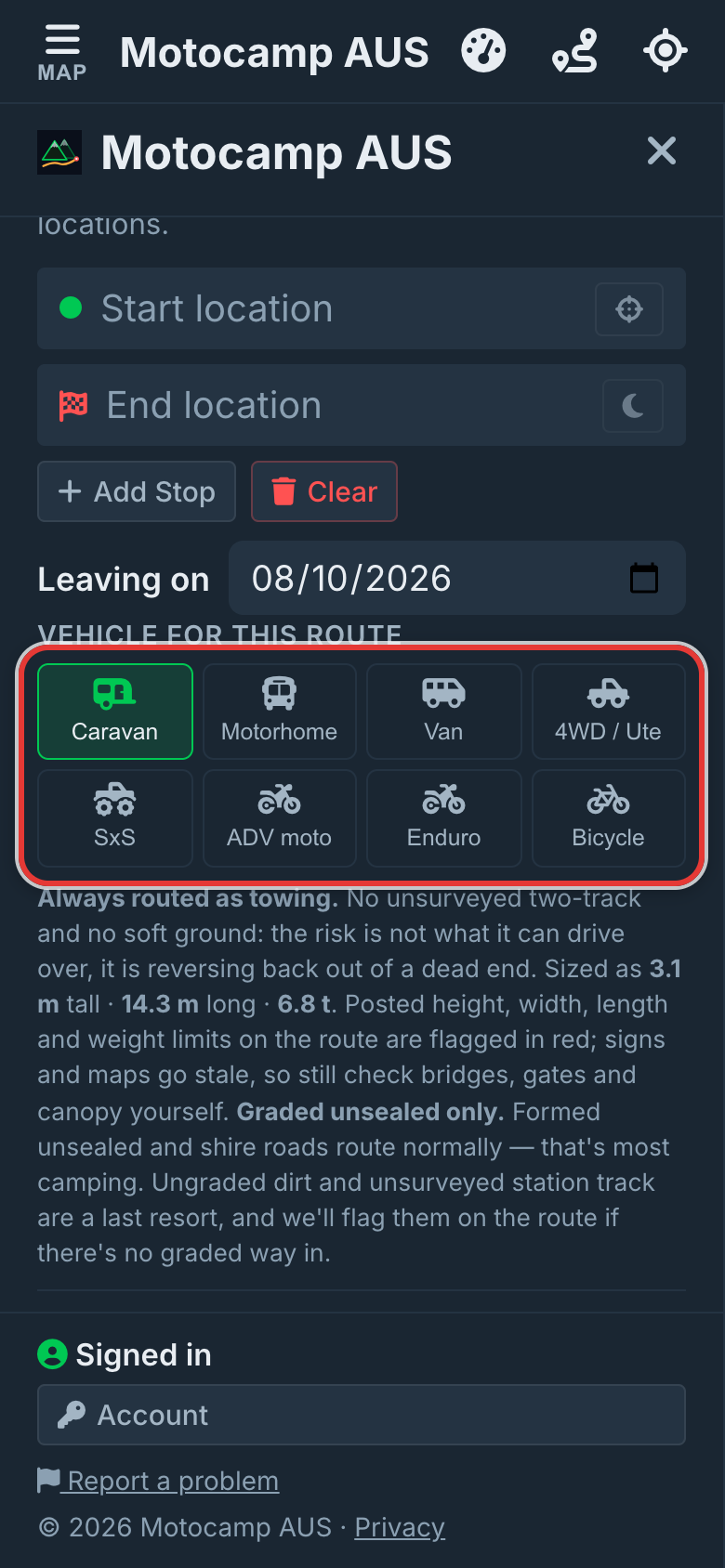
Tap Menu, then the Route tab. Scroll down past Plan with AI to Vehicle for this route. These buttons are where you tell the app what you're driving. The switches under them change to suit your pick.
2Pick your rig, or tick towing
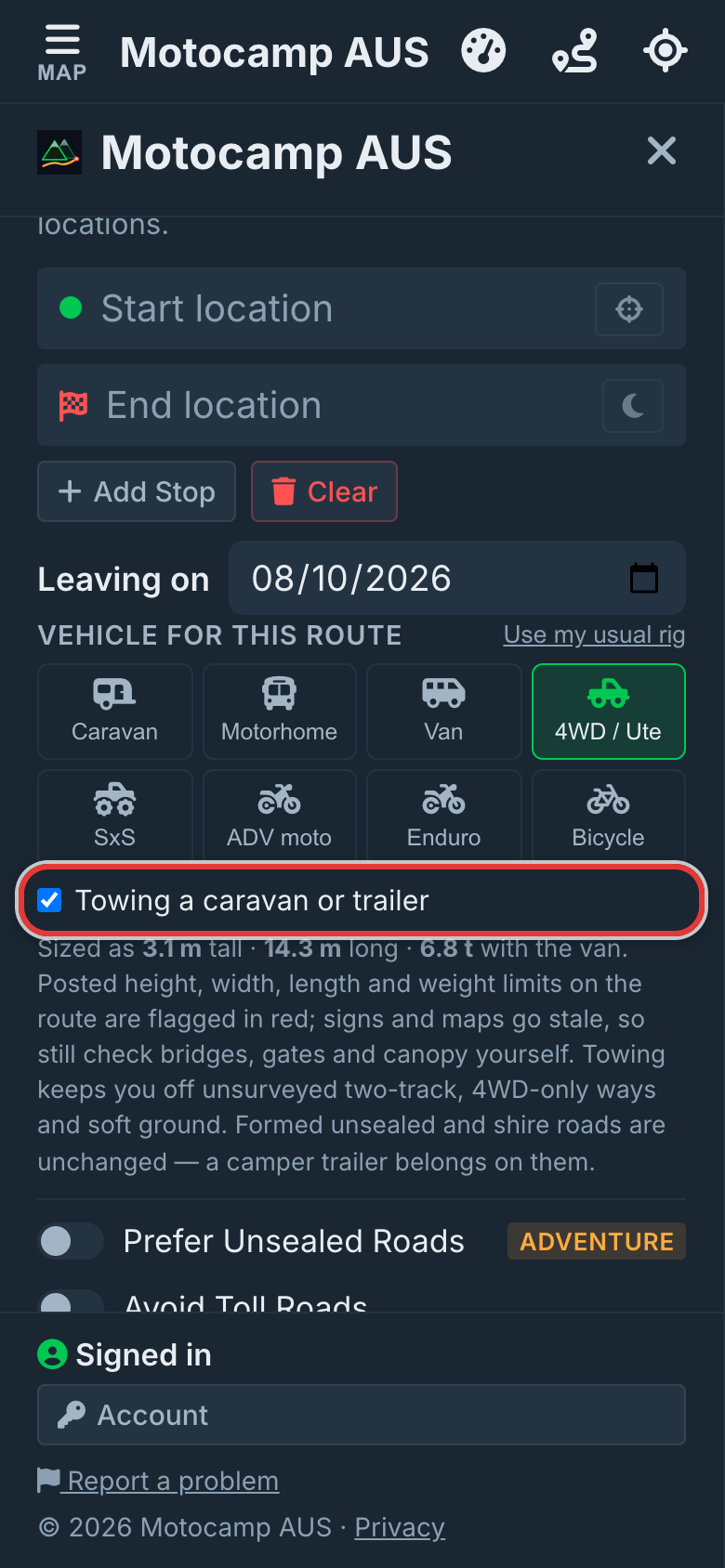
Tap Caravan for a car or 4WD with a caravan. Or tap Motorhome. Towing behind a 4WD / Ute, Van or Motorhome? Tap that button. Then tick Towing a caravan or trailer underneath. Towing keeps you off soft ground, 4WD-only tracks and rough tracks the map knows little about. Formed unsealed roads and shire roads stay open to you.
3Leave Caravan-safe roads on
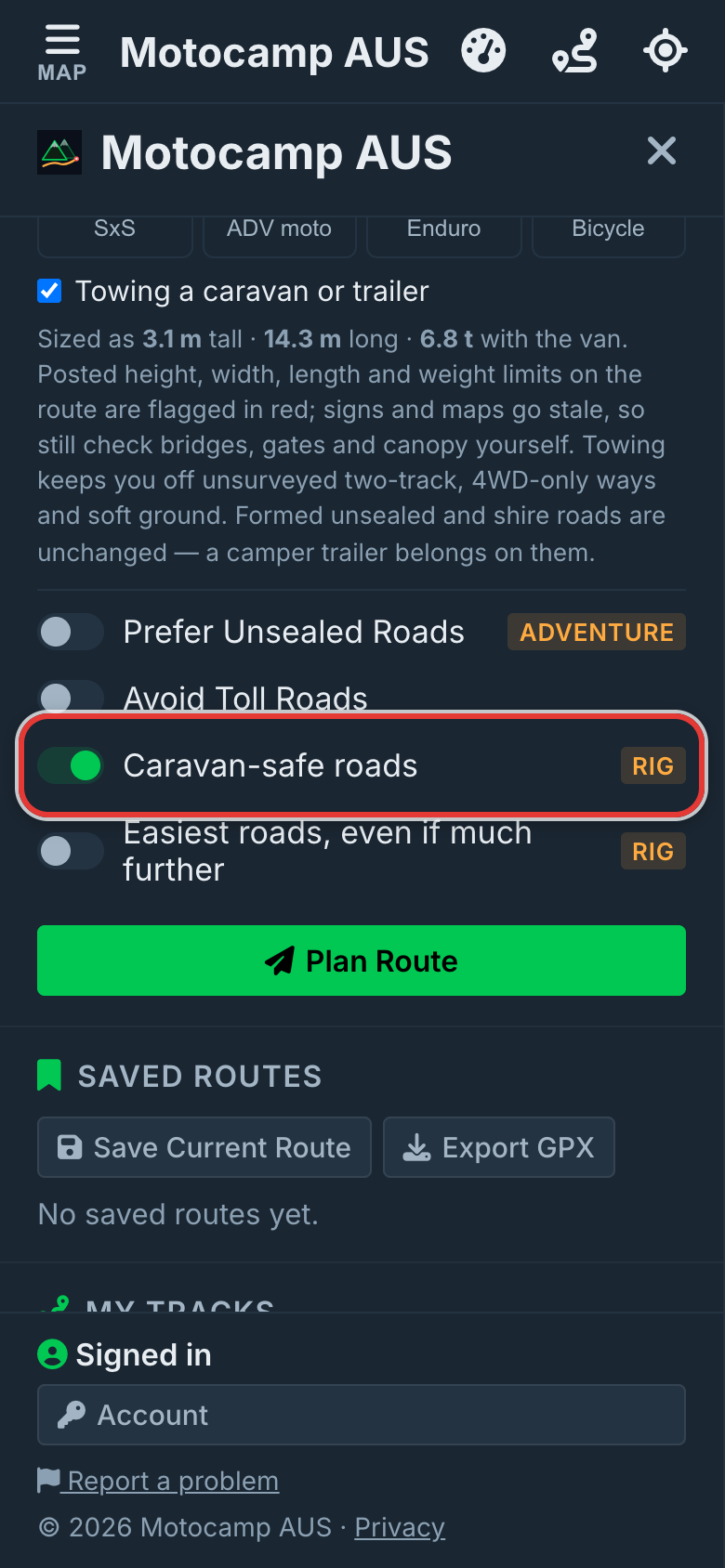
Once you pick a caravan or motorhome, two switches go away: Prefer Twisty Roads and Avoid Highways. A new switch shows instead. It's called Caravan-safe roads, or Motorhome-safe roads for a motorhome. It starts on. It picks main roads. Where it can, it stays off steep hills, sharp bends and unsealed roads. Turn it off for the plain road route.
4Tick Easiest roads if you like
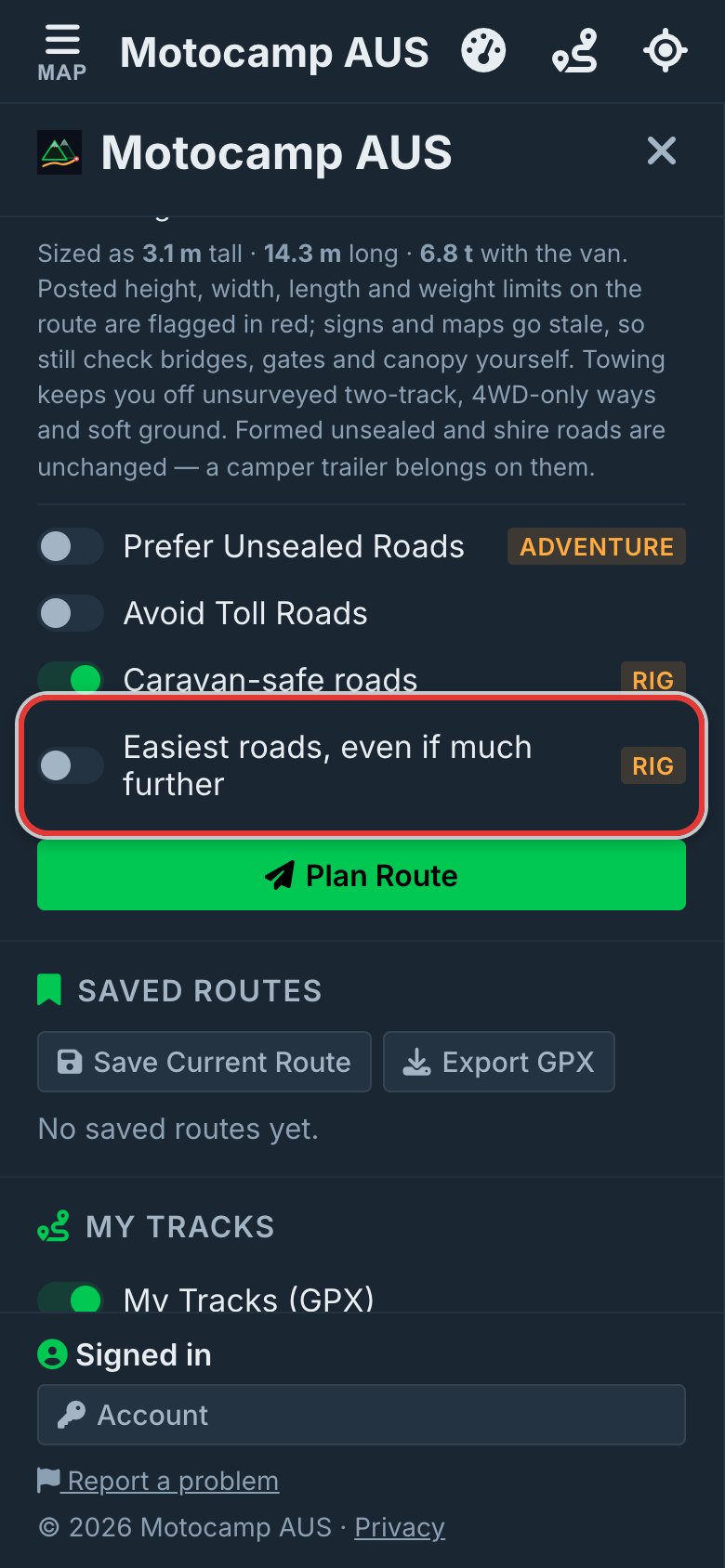
Easiest roads, even if much further, starts off. Tick it if you want the gentlest way. The app then keeps to main roads and gentle hills. It does this even when it adds a lot of distance. Ticking it turns Caravan-safe roads back on. Turning Caravan-safe roads off turns it off too.
5Plan Route and read the note
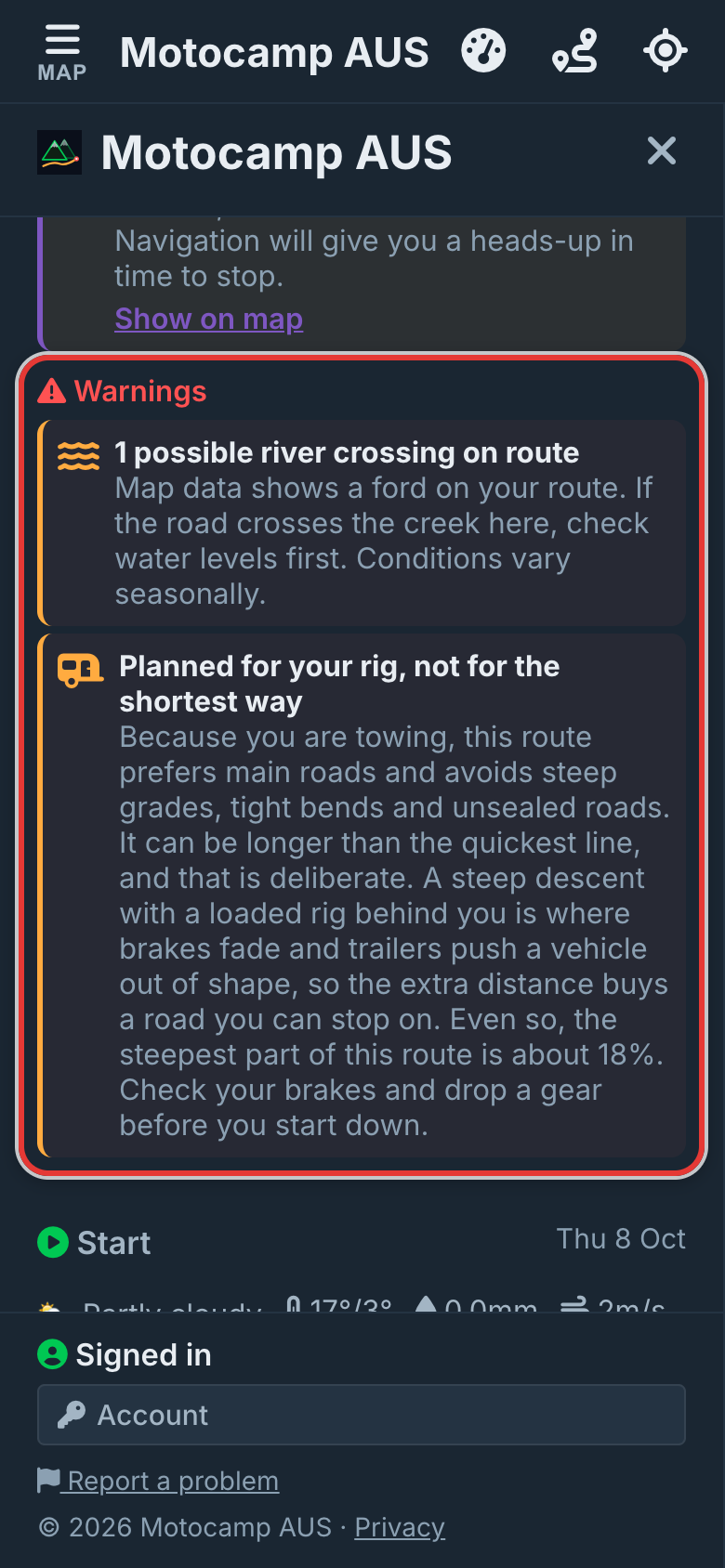
Add your start and end, then tap Plan Route. Look under Warnings in the Route Summary. A note there says Planned for your rig, not for the shortest way. It tells you why the route can be longer. It also tells you how steep the steepest part is. If it's still steep, it says so. It reminds you to check your brakes and drop a gear before you start down.
Good to know
Sometimes there's no gentler road for a stretch. The note then tells you how steep it gets. With no signal, your phone plans the route itself. It still picks main roads first. But it only judges hills where you've downloaded the terrain, which is the shape of the hills. So check the climbs before you set off. The app remembers how you leave these switches for next time.
Also in the app: maps that work with no signal, campgrounds and free camps, and Plan with AI. It plans routes for eight kinds of vehicle, from an enduro bike to a 10-metre motorhome.