
Closed roads, checked for your trip day
Lots of tracks close for winter or after floods. Finding out at the gate means a long drive back. Set the day you're leaving. The app checks the closures it knows for that day and your vehicle. Then it goes around them or lets you decide.
1See closed roads on the map
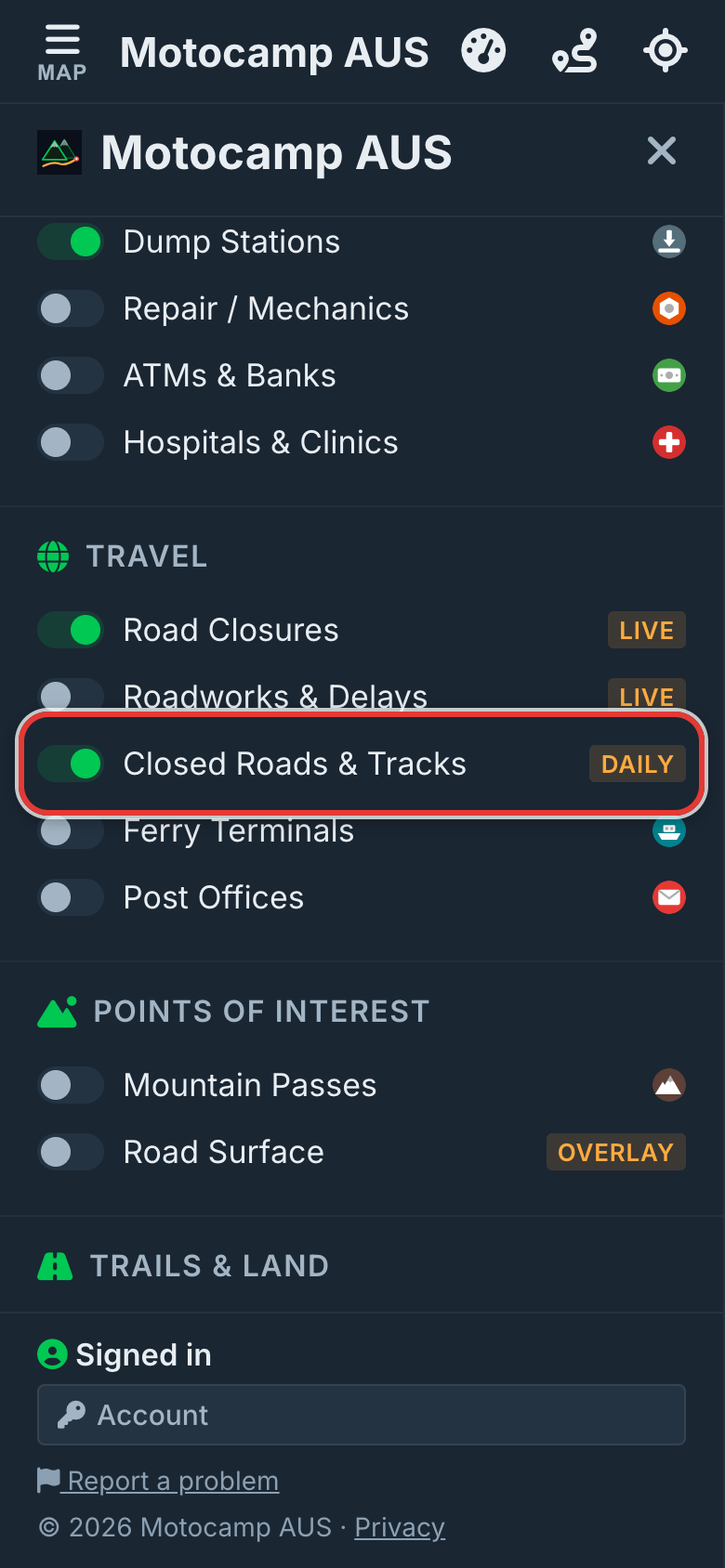
Tap Menu, then Layers. Find Road Closures and Closed Roads & Tracks, under Travel. Both start on. Road Closures shows live closures from the state road authorities. Closed Roads & Tracks shows roads and tracks closed by parks, forestry and road authorities in every state. It's checked every day. Leave both on.
2Tap a red dashed line
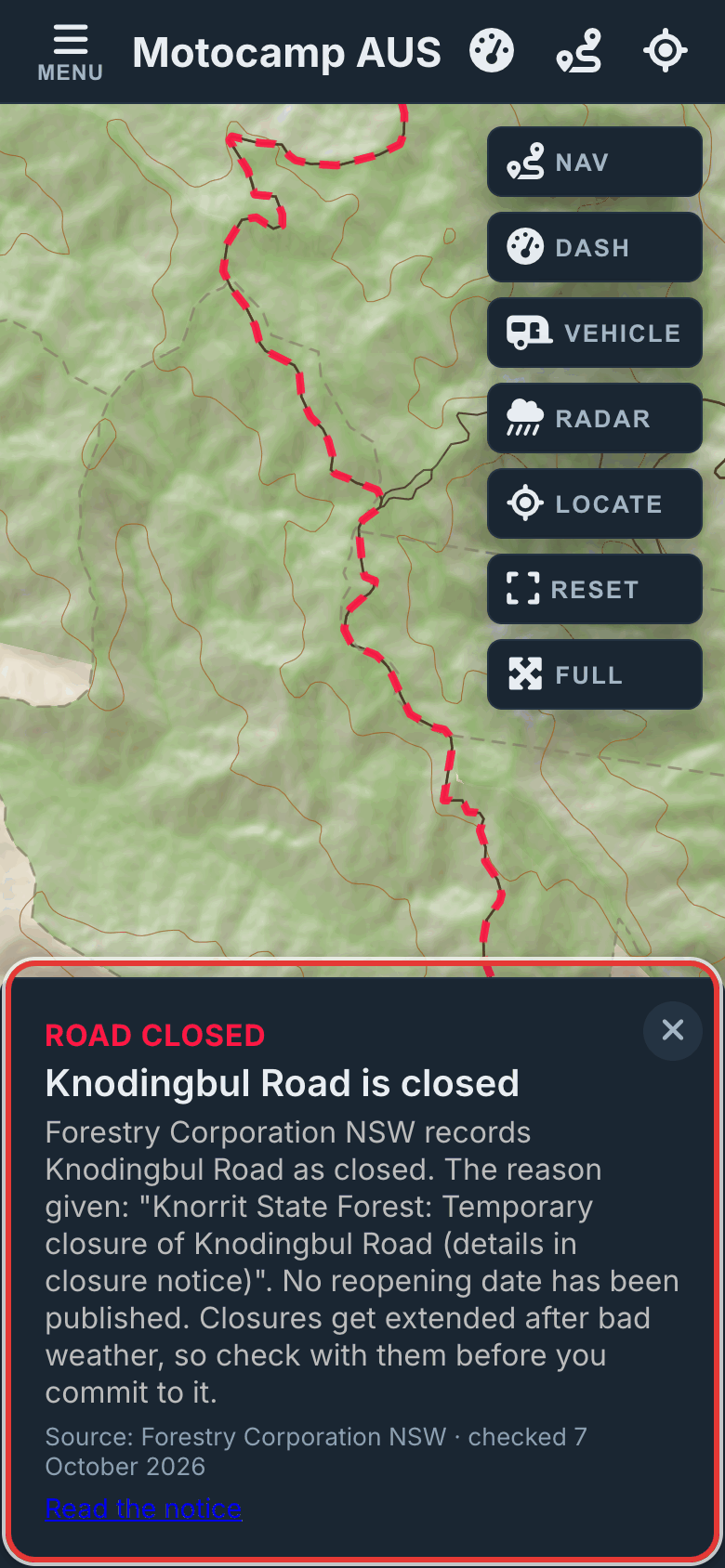
Close the Menu and zoom in on a park or state forest. Roads and tracks shut on your day, for your vehicle, show as red dashed lines. Tap one to see who closed it and why. You'll also see the day it should open again. If you're zoomed too far out, the switch says zoom in.
3Set Leaving on
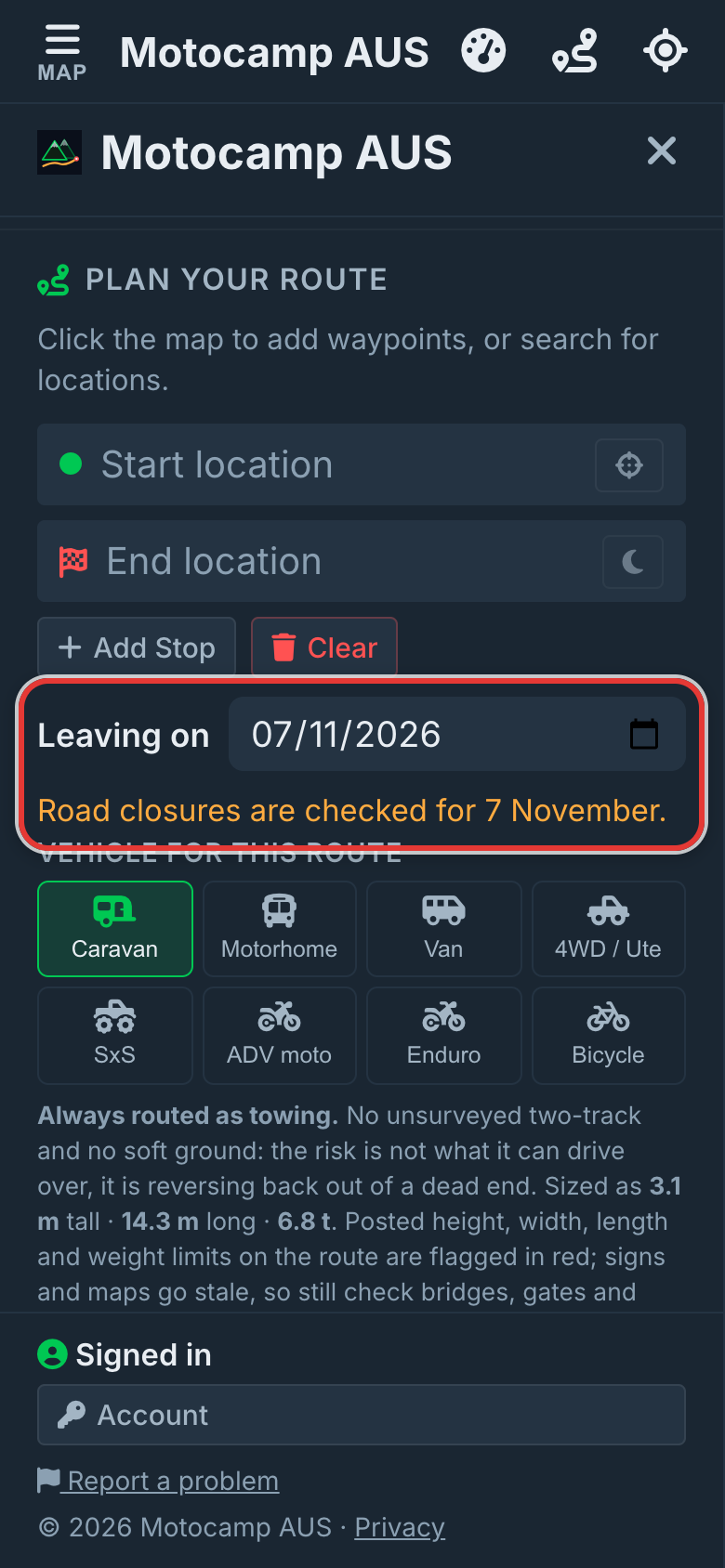
Tap Menu, then Route. Scroll to Leaving on, just under Add Stop and Clear. Pick the day you're setting off. Every closure check then uses that day, not today. A line under it says Road closures are checked for, then your date. Plan with AI uses the same day. Tapping Clear puts it back to today.
4Pick your vehicle, then Plan Route
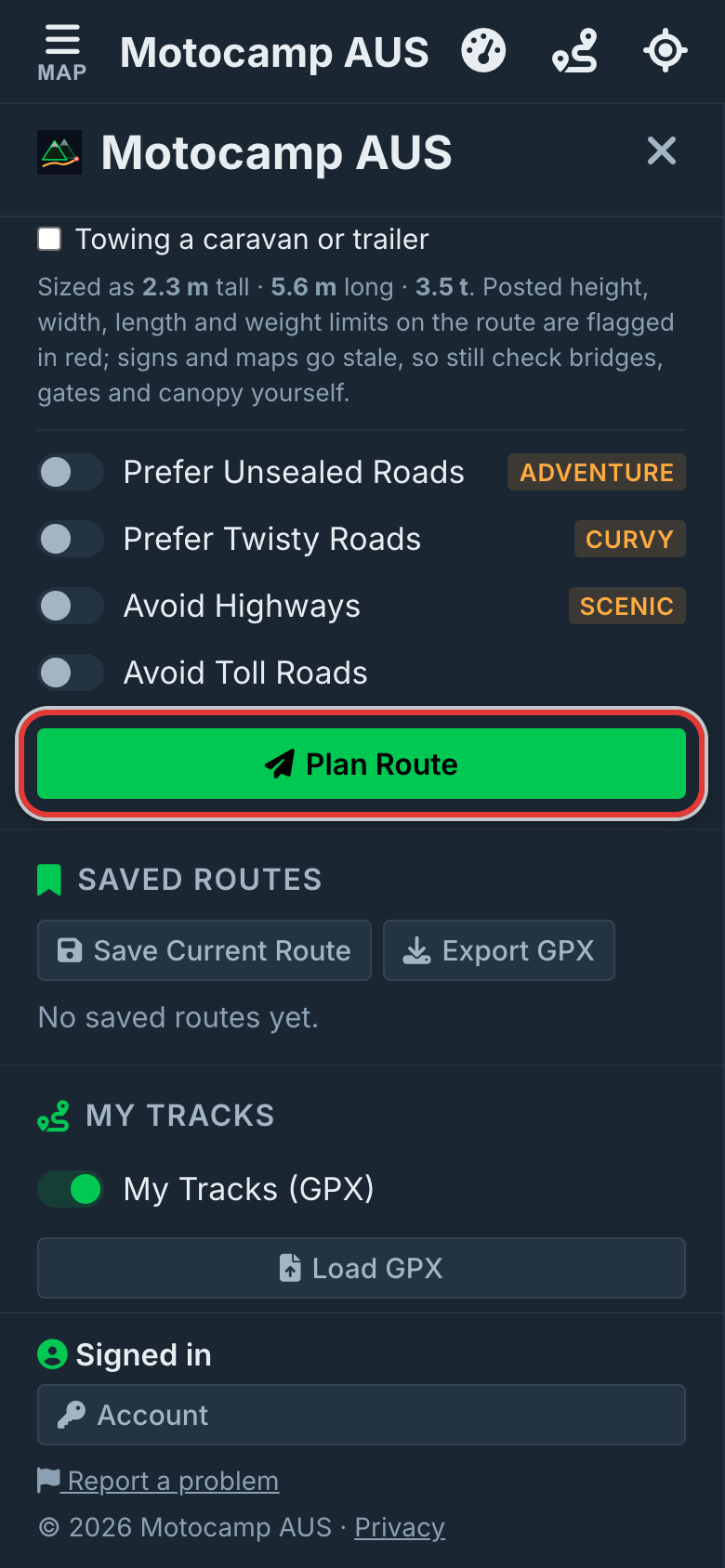
Under Vehicle for this route, tap what you're driving. Some closures say 4WD only. These stay open to a 4WD / Ute, SxS, Enduro or ADV moto. They're shut to caravans, motorhomes and vans. So the answer you get is for your vehicle. Add your start and end, then tap Plan Route.
5Choose on the closed road card
Say a road on your route is shut on your day, but opens within six weeks. A card then says Road closed on your route. It shows the day it opens and who said so. Tap Route around it to go another way. Or tap I'll take it to keep that road on your route. It's then marked in yellow. If a stop sits on that road, it comes off when you go around.
6Read the notes in the summary
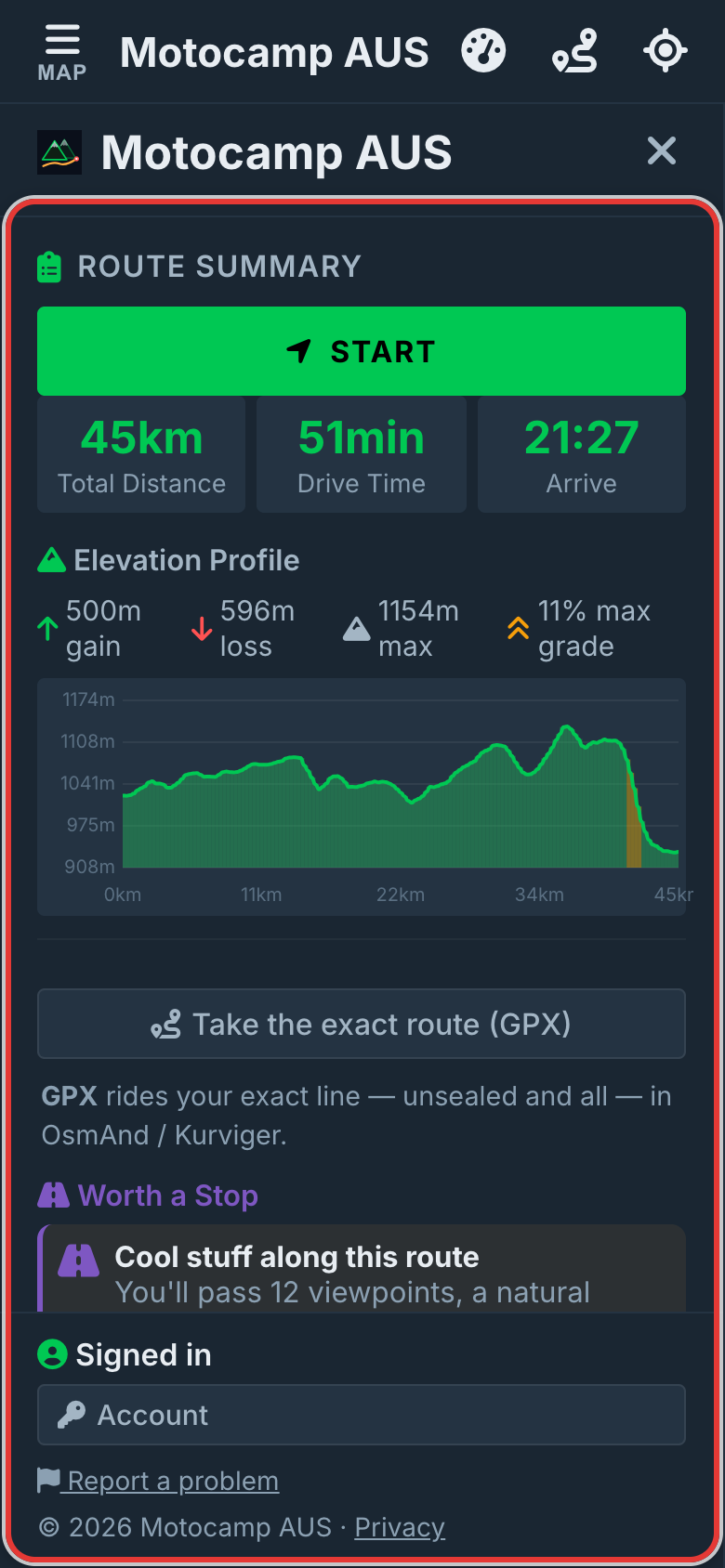
The Route Summary at the top of the Route tab says what the app did. A road shut for more than six weeks is left out, and a note names it. Some roads are open on your day but close within six weeks. Each gets a Closing soon note with its date. Live closures the route went around are listed too.
Good to know
These are closures the managers publish themselves. They're checked daily, so a brand new one may not show yet. Closures often get longer after bad weather. So check with the park or forest before you go. A downloaded map has the closure list, so the check works with no signal. The day you pick can't be in the past.
Also in the app: maps that work with no signal, campgrounds and free camps, and Plan with AI. It plans routes for eight kinds of vehicle, from an enduro bike to a 10-metre motorhome.